
Your attention, not your computer, sets how many AI agents you can run well. Research on working memory and on people who supervise several robots or drones agrees: attention is limited, and agents that work alone for longer let you run more. Run a few sessions, give each its own workspace, and let one view show which waits.
Why several agents feel harder than one
Each agent you run carries its own small bundle of facts: what you asked for, what it is doing now, what it asked you last and what "done" looks like. With one agent, that bundle sits comfortably in your head. With five, you hold five bundles and switch between them.
Working memory is small. In a 2010 article in Current Directions in Psychological Science, Nelson Cowan of the University of Missouri describes "a central memory store limited to 3 to 5 meaningful items in young adults". That is a limit on items held in mind, not a count of agents. Our reading: every agent you track adds several items of its own, so the ceiling arrives sooner than the number of terminal tabs suggests.
What the research on robot teams found
Human factors researchers have studied this situation for decades, with robots and drones instead of coding agents. They call the number of machines one person can run at once the "fan-out".
In a CHI 2004 paper, Dan Olsen and Stephen Wood of Brigham Young University gave participants far more simulated robots than they could use (18 robots, 10 targets) and measured how many were active on average. In a race with 8 participants, the mean fan-out was 1.46 for the simplest robots, 2.94 for robots that could bounce off obstacles and 5.11 for robots that planned their own paths. The more a robot could do alone between instructions, the more of them a person could keep busy.
The authors also noted that "attempting to supervise multiple robots is more mentally demanding than only one". They split the time a person spends interacting with each robot into at least four parts:
- Monitoring and selection: reviewing the state of every robot and deciding which one needs you next.
- Context switching: getting back the goals and problems of the robot you just turned to.
- Problem solving: working out what the robot should do.
- Command expression: actually telling it.
The authors present this split as a working hypothesis. Our reading: the first two parts are not the task itself: they come with every extra machine, and they match the overhead many people feel with several coding agents: not the work, but the checking and the switching. Run several Claude Code sessions and see which one needs you covers the tools for running the sessions themselves. This guide is about you, the person watching them.
The hidden cost: an agent that waits and nobody notices
The most expensive moment is often not a wrong answer. It is an agent that stopped and sat there.
Mary Cummings of MIT and Paul Mitchell studied 12 people supervising four simulated unmanned aerial vehicles (IEEE Transactions on Systems, Man, and Cybernetics, 2008). They measured a "situation awareness wait time", recorded "when at least one vehicle required attention, but the operator did not realize it", while the operator was not busy with any other task. The paper reports a mean of 263.7 seconds for this measure, with a standard deviation of 239.7 seconds. It does not say whether that is one wait or the sum of several; each test session lasted 30 minutes, in a simulation run several times faster than real time.
The authors then fed these wait times into a model of how many vehicles one operator could handle. With the waits included, the model's predictions dropped by up to 67%, and loss of situation awareness was the main source. Even in the most automated condition, which the authors call management-by-exception, the situation awareness wait cut predicted capacity by 36%. These are model predictions from a small lab study of a military-style task, not a measurement of coding work. Our reading for coding agents: the waits you do not notice may cost more than the ones you do.
Watching is not a job people do well
The obvious fix is to watch more closely. That rarely works for long.
In "Ironies of automation" (Automatica, 1983), Lisanne Bainbridge of University College London argued that automation can leave people with the hardest part of the job: watching. Citing earlier vigilance studies by Mackworth, she wrote that "it is impossible for even a highly motivated human being to maintain effective visual attention towards a source of information on which very little happens, for more than about half an hour". Her conclusion was that watching for rare events has to be handed to an alarm.
Bainbridge wrote about control rooms, not code, and her paper is an argument built on other studies rather than a new experiment. But a terminal full of scrolling agent output is a source on which, most of the time, very little happens that needs you. Staring at it is tiring, and it does not reliably catch the moment that matters.
How many sessions to run
No study gives a magic number for coding agents, so what follows is our advice, built on the research above:
- Start with two or three sessions. Add one only when the others regularly run for long stretches without needing you.
- Prefer long, self-contained tasks. The fan-out results suggest that agents which work alone for longer let you run more of them.
- Watch for the warning signs. You reread a session's history to remember what it was doing, or you approve a request without reading it.
- Drop back when you notice a wait. If a session sat waiting for minutes before you saw it, you are past your limit for now.
The right number moves during the day. When you are tired, run fewer sessions, not the same number with less care.
Give each agent its own workspace
Separate workspaces shrink the bundle you carry for each agent. When two agents edit the same files, you also have to track how their changes interact, and that is the kind of item that overflows working memory first.
- One task per session. A session that does one thing is easy to describe in a few words.
- One folder or Git worktree per session. See Git worktrees for parallel coding agents for the setup.
- Names you can read at a glance. Name a session after its task, such as "login-tests", not "session 3".
- Fixed positions. Keep each session's window or tab in the same place, so you never search for it.
How you split the work and decide when to step in is a separate question, covered in AI agent orchestration for one developer.
Make the waiting agent find you
Following Bainbridge, the goal is to stop watching and let the state come to you. A good signal for several agents does three things:
- It tells you which agent waits, not only that something does.
- It stays visible until you deal with it, unlike a banner that vanishes.
- It puts the waiting agent first, so you never scan the whole list.
Desktop notifications are a good start for one or two sessions: see Get notified when Claude Code needs approval or finishes. For more, a persistent list sorted by state does better. How to monitor multiple Claude Code sessions compares terminal layouts, notifications, hooks and status displays.
Where Orbtile fits
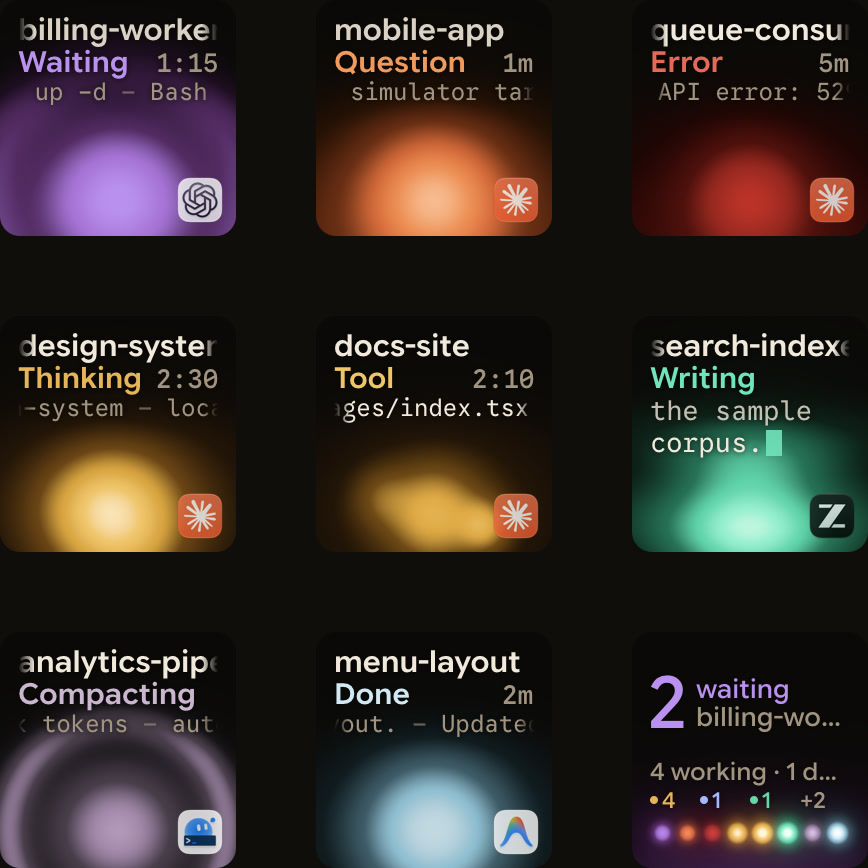
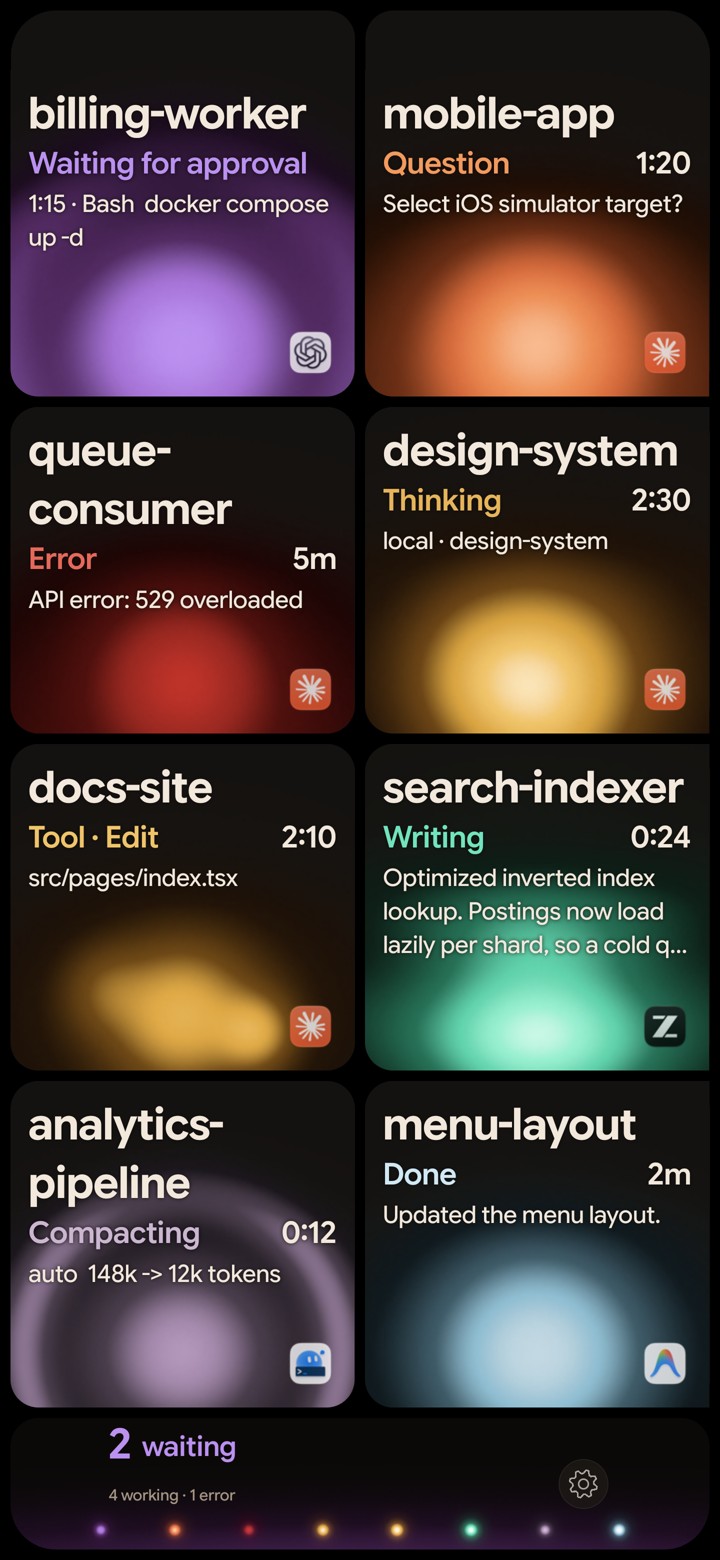
Orbtile is one way to build that persistent, sorted view. It shows each coding-agent session as one key or tile on a Logitech MX Creative Keypad, an iPhone or an Android phone running Orbtile Mobile, or the Orbtile panel on your computer. Each key shows the session's name, its state and its latest words.
- Waiting first: waiting sessions move to the front, followed by working sessions and recent finishes.
- One tap to the right one: a tap on key 9 focuses the first waiting session, including one on another page.
- Colour by state: Claude Code keys glow warm amber gold while working and terracotta while waiting.
- Grouping: group sessions by Agent, Project or Host in Orbtile's settings.
Orbtile does not raise your working memory or decide how many agents you should run. What it changes is where you look: the waiting session is on the first key, so you do not scan every tab to find it.
FAQ
How many AI agents can one person manage at once?
There is no fixed number for coding agents. Robot studies show that people run more machines when each one works alone for longer between instructions. Start with two or three sessions and add more only when they rarely need you.
Why do I lose track of which agent is waiting?
In our reading, each agent adds several items to a working memory that holds only a few at a time. In one lab study of drone supervision, the measured time in which a vehicle needed attention but the idle operator had not noticed averaged 263.7 seconds, in 30-minute test sessions.
Should I watch the agents' output while they work?
Not for long. Vigilance research summarised by Bainbridge found that people cannot keep effective attention on a source where little happens for more than about half an hour. A signal that tells you when an agent waits works better.
Does a status display let me run more agents?
It shows which agent needs you, so you do not have to search the tabs for it. It does not reduce the thinking each agent needs, so the number you can run well still depends on the tasks.