

The Codex CLI can notify you when a turn finishes and when it stops to ask for approval. Turn both on under [tui] in ~/.codex/config.toml. To run a script of your own when a turn completes, add notify. And when you run several sessions, a display that shows which one is waiting saves you hunting through windows.
1. Terminal notifications
Add this to ~/.codex/config.toml:
[tui]
notifications = ["agent-turn-complete", "approval-requested"]
notifications = true turns them all on; a list keeps only the events you name. Two more settings go in the same table:
notification_condition:"unfocused"(the default) notifies only while the terminal isn't in front;"always"notifies every time.notification_method:"auto"(the default) sends a desktop notification where the terminal supports it and a terminal bell elsewhere;"osc9"or"bel"force one of the two.
2. Run your own program when a turn finishes
notify runs a program after every turn and passes it one JSON argument. Put it near the top of the file, above any [table] line:
notify = ["python3", "/Users/you/.codex/notify.py"]The JSON includes type (agent-turn-complete), thread-id, turn-id, cwd, input-messages and last-assistant-message. On a Mac, this script shows the last reply as a notification:
import json, subprocess, sys

event = json.loads(sys.argv[1])
if event.get("type") == "agent-turn-complete":
    text = (event.get("last-assistant-message") or "Turn complete")[:120]
    subprocess.run(["osascript", "-e",
        f"display notification {json.dumps(text)} with title \"Codex\""])
notify only fires when a turn completes. For approval requests, use the approval-requested notification above.
Which one to use
| You want | Use |
|---|---|
| To know when a turn ends or Codex needs approval | [tui] notifications |
| Your own sound, banner or message | notify with a script |
| To see which of several sessions is waiting | A display that shows every session |
When notifications aren't enough
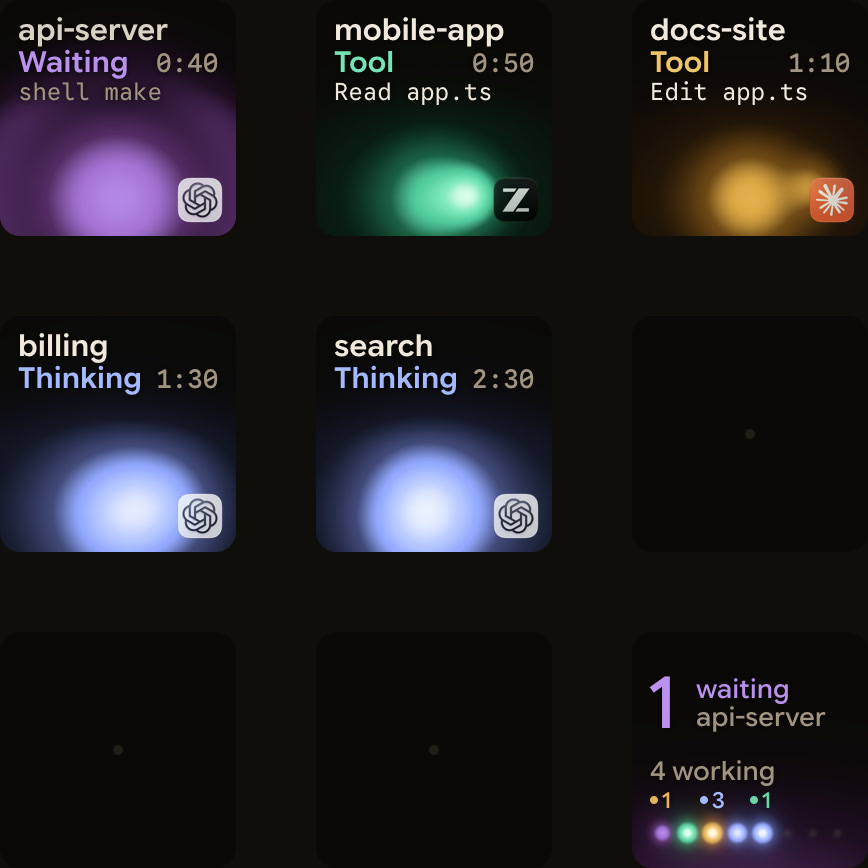
A notification tells you that some Codex session needs you. With a desktop chat, two terminal sessions and a codex exec run going, you still have to find which one.
Orbtile shows every Codex session as its own key on the Logitech MX Creative Keypad or a tile on an Android phone: desktop app chats, terminal sessions and codex exec runs. It reads Codex's own session files, so there's nothing to install. A waiting session glows magenta-violet and moves to the front. From the keys you can answer the Codex desktop app's command approvals and its single-choice questions. For a terminal session's command approval, the keys offer Allow; to say no, answer in the terminal. Anything else shows Answer on computer.
FAQ
Why doesn't notify fire when Codex asks for approval?
It only runs when a turn completes. Add "approval-requested" to [tui] notifications instead.
Can I get notified even when the terminal is in front?
Yes. Set notification_condition = "always" under [tui].
Does Orbtile change my Codex config?
Not unless you ask it to. Optional Codex hooks add a compacting state and slightly earlier updates; if you install them from Orbtile's settings, you review and trust them in Codex first.
Does it work on Windows?
Orbtile runs on Windows 11, where Claude Code is supported today and Codex is being tested.