

Both are grids of small screen keys, and both can show which coding agent needs you. The difference is the software. On an Elgato Stream Deck, you pick from community plugins, most of them built for one agent. On the Logitech MX Creative Keypad, you can use Logitech's own Claude plugin inside Logi Options+, or Orbtile, which shows Claude Code, Codex, ZCode and Antigravity together and lets you answer their requests on the keys. And if you have neither, an old Android phone does the same job.
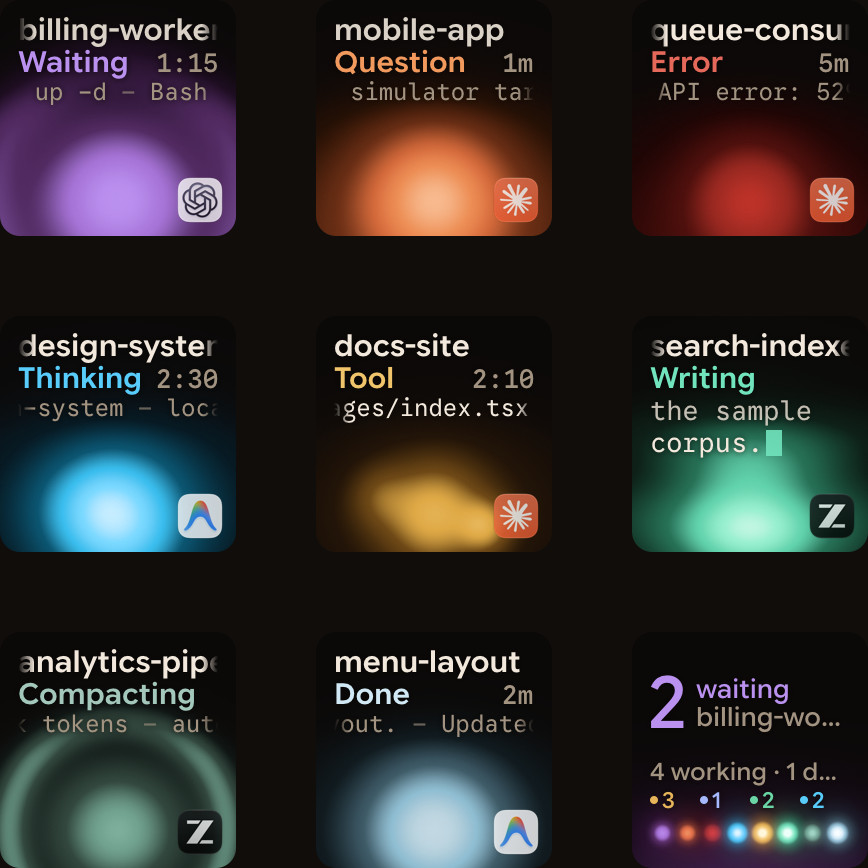
The hardware
| Elgato Stream Deck | Logitech MX Creative Keypad | |
|---|---|---|
| Screen keys | 6 (Mini), 8 (Neo, and the + with 4 dials), 15 (MK.2), 32 (XL), 36 (+ XL) | 9, plus two page buttons |
| Sold as | One device per size | The MX Keypad on its own, or with the dialpad as the MX Creative Console |
| Its own app | Stream Deck app | Logi Options+ |
The MX Keypad sold on its own is the same keypad as the one in the MX Creative Console.
What the keys can do for an agent
On a Stream Deck, you add a plugin for the agent you use. There are plugins that show Claude Code sessions on keys, and some that can approve its permission prompts. Many cover one agent, and you set up each key.
On the MX Creative Keypad with Logi Options+, Logitech's own Claude Desktop (Beta) plugin shows up to 16 Claude Code sessions from the Claude desktop app as live tiles, with Allow and Deny actions. Logitech also lists integrations for GitHub Copilot and OpenAI Codex, one per tool.
On the MX Creative Keypad with Orbtile, without Options+:
- every session from Claude Code, Codex, ZCode and Antigravity gets its own key, with its state and latest words;
- the session that needs you moves to the front, and key 9 jumps to it;
- you answer supported permission requests on the keys (Deny with a press, Allow with a hold), and questions with options too;
- sessions on SSH servers show up next to your local ones.
Orbtile drives the keypad directly over USB, so you don't need a plugin inside Logi Options+, and Options+ stays installed for your other devices.
Or no new hardware at all
Orbtile Mobile turns an Android phone (Android 8.0 or later) into the same pad: one tile per session, the waiting one first, and answers on the screen. You can use the phone and the keypad together.
Which one to pick
| You… | Pick |
|---|---|
| Already own a Stream Deck and use one agent | A Stream Deck plugin for that agent |
| Use Claude Code in the Claude desktop app, inside Options+ | The MX Keypad with Logitech's Claude plugin |
| Run several agents at once, in terminals or on servers | The MX Keypad with Orbtile |
| Don't want to buy anything yet | An Android phone with Orbtile Mobile |
FAQ
Does Orbtile work with a Stream Deck?
No. Orbtile drives the Logitech MX Creative Keypad and Android phones.
Is the MX Keypad the same as the MX Creative Keypad?
Yes. The MX Keypad sold on its own is the same keypad as the one in the MX Creative Console.
Do I need Logi Options+?
No. See Use the Logitech MX Creative Keypad without Logi Options+.