

Orbtile's Adapter API lets any program on your computer put its own session on the Logitech MX Creative Keypad or an Android phone: a build, a test run, a deploy, or an agent Orbtile doesn't support yet. Turn the API on, allow your adapter once, and send small JSON updates over a local socket. The quickest start is the reference shell adapter, which shows any command on a key while it runs.
1. Turn on the Adapter API
In Orbtile, open Settings > Agents and turn on Adapter API. Orbtile then writes a discovery file, readable only by you, with the API's address and a private token:
- On a Mac:
~/Library/Application Support/Orbtile/adapter-api.json. The API listens on a local Unix socket. - On Windows:
%LOCALAPPDATA%\Orbtile\Windows\adapter-api.json. The API listens on a loopback address,http://127.0.0.1:<port>, given in the file.
The endpoints and the token work the same on both.
2. Show a command while it runs (Mac)
The adapter kit is open source (MIT) on GitHub:
git clone https://github.com/diogomendes-cmyk/orbtile-adapters
cd orbtile-adapters
examples/ref-shell.sh make test
The first time, Settings > Agents shows "Shell wants to show sessions": choose Allow. From then on, the command appears on a key while it runs, and the key turns to Done when it succeeds, or Error with the exit code when it fails. Put examples/ref-shell.sh in front of any long command: ref-shell.sh ./deploy.sh, ref-shell.sh npm run build.
3. Or call the API yourself
The API is HTTP and JSON. Every request sends the token in an Authorization: Bearer header, read from the discovery file. This registers an adapter and shows one session.
On a Mac, with curl over the socket:
F="$HOME/Library/Application Support/Orbtile/adapter-api.json"
SOCK=$(plutil -extract socketPath raw -o - "$F")
TOKEN=$(plutil -extract token raw -o - "$F")
api() { curl -sS --unix-socket "$SOCK" -X "$1" "http://localhost/a/v1$2" \
  -K <(printf 'header = "Authorization: Bearer %s"\n' "$TOKEN") \
  -H 'Content-Type: application/json' --data "$3"; }

api PUT /adapters/dev.example.deploy '{"name":"Deploy","palette":{"baseHue":150,"attentionHue":330}}'
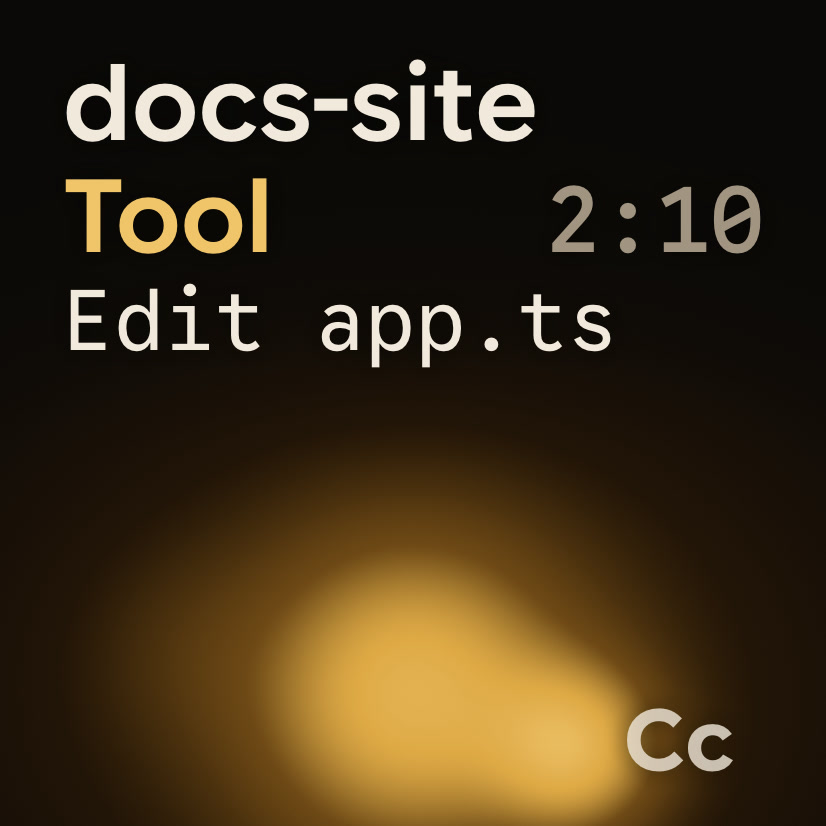
api POST /adapters/dev.example.deploy/sessions/prod '{"title":"Deploy to prod","activity":"tool","toolLabel":"Deploy  web"}'
# ... while it runs, at least every 10 seconds:
api POST /adapters/dev.example.deploy/heartbeat '{}'
# when it's finished:
api POST /adapters/dev.example.deploy/sessions/prod '{"activity":"done"}'
The token goes through curl's config input rather than the command line, so it never shows up in ps.
On Windows, in PowerShell:
$api = Get-Content "$env:LOCALAPPDATA\Orbtile\Windows\adapter-api.json" | ConvertFrom-Json
$base = $api.url + $api.basePath
$auth = @{ Authorization = "Bearer $($api.token)" }
function Api($method, $path, $body) {
  Invoke-RestMethod -Method $method -Uri ($base + $path) -Headers $auth -ContentType 'application/json' -Body $body
}

Api Put '/adapters/dev.example.deploy' '{"name":"Deploy","palette":{"baseHue":150,"attentionHue":330}}'
Api Post '/adapters/dev.example.deploy/sessions/prod' '{"title":"Deploy to prod","activity":"tool","toolLabel":"Deploy  web"}'
# ... while it runs, at least every 10 seconds:
Api Post '/adapters/dev.example.deploy/heartbeat' '{}'
# when it's finished:
Api Post '/adapters/dev.example.deploy/sessions/prod' '{"activity":"done"}'
The first time an adapter registers, on a Mac or on Windows, Settings > Agents shows "Deploy wants to show sessions": choose Allow. Until then the calls succeed, but nothing appears on the keys.
A few rules:
- Your adapter id is a reverse-DNS name you own, such as
dev.example.deploy. - A new session needs a
titleand anactivity; later updates send only what changed. activityis one ofstarting,idle,thinking,tool,streaming,waitingPermission,waitingQuestion,done,error,compactingoroffline.- Stay in touch: send a heartbeat at least every 10 seconds. After 15 seconds of silence the adapter's sessions show offline; after 60 seconds the registration ends and you register again.
What the key shows
toolshows yourtoolLabel: its first word as the tool name, the rest below it.streamingtypes outmessage.textas it arrives.waitingPermissionglows in your alarm colour (attentionHue) and moves the key to the front.doneshows Done;errorshows yourstatusDetail.
Adapters can also receive taps, Allow and Deny, and question answers from the keys, by declaring those capabilities and polling for events. The protocol reference covers it, with Python and Node reference adapters.
Where the data goes
Everything stays on your computer: the socket is local, with no network port, and adapter events are never sent to our servers. Orbtile's usage summary only counts how many adapters you've allowed, how many sessions they had and how many minutes they were busy, never their names or what they sent.
Try it without Orbtile (Mac)
The kit includes a mock Orbtile that listens on its own socket, writes its own discovery file and prints every request:
python3 examples/mock-orbtile.py /tmp/orbtile-mock/adapter-api.json &
ORBTILE_API_FILE=/tmp/orbtile-mock/adapter-api.json examples/ref-shell.sh sleep 5FAQ
Do I have to ship code inside Orbtile?
No. Your adapter is a separate program that sends small JSON messages; Orbtile draws the keys.
Does it show on the phone too?
Yes. Adapter sessions appear on the keypad, in the menu bar panel and on Orbtile Mobile.
Can other people on my computer see or send updates?
No. The discovery file is private to your user, and every request needs its token. On a Mac, Orbtile also checks that the program talking to the socket runs as you.