

Running several Claude Code sessions in parallel works well until one of them stops to ask for permission and you don't notice for twenty minutes. The fix is a signal you can see without switching windows: Claude Code's own notifications for a session or two, and a status display with one tile per session once you run more.
Why parallel sessions stall
Each Claude Code session runs in its own terminal tab or window. While it works, it needs nothing from you. Then it hits a permission prompt, asks a question, or finishes, and waits. With three or four sessions open, the waiting one is usually in a tab you aren't looking at.
The cost isn't the prompt itself. It's the minutes the session sits idle before you find it.
Option 1: Claude Code's own signals
Claude Code already tells you when a session needs you, and for one or two sessions this is often enough.
- Desktop notifications. When Claude finishes a task or pauses for a permission prompt while you seem to be away, it sends a notification. Ghostty, Kitty and iTerm2 show it as a desktop notification without setup.
- Terminal bell. In other terminals, set
"preferredNotifChannel": "terminal_bell"in~/.claude/settings.json. - Status in the terminal. Terminals that support the OSC 7501 status protocol show whether each interactive session is working, waiting or done. Claude Code 2.1.295 or later reports it automatically.
The limit: a notification tells you that something needs you, not which of six sessions it is, and it's gone once you dismiss it.
Option 2: one tile per session
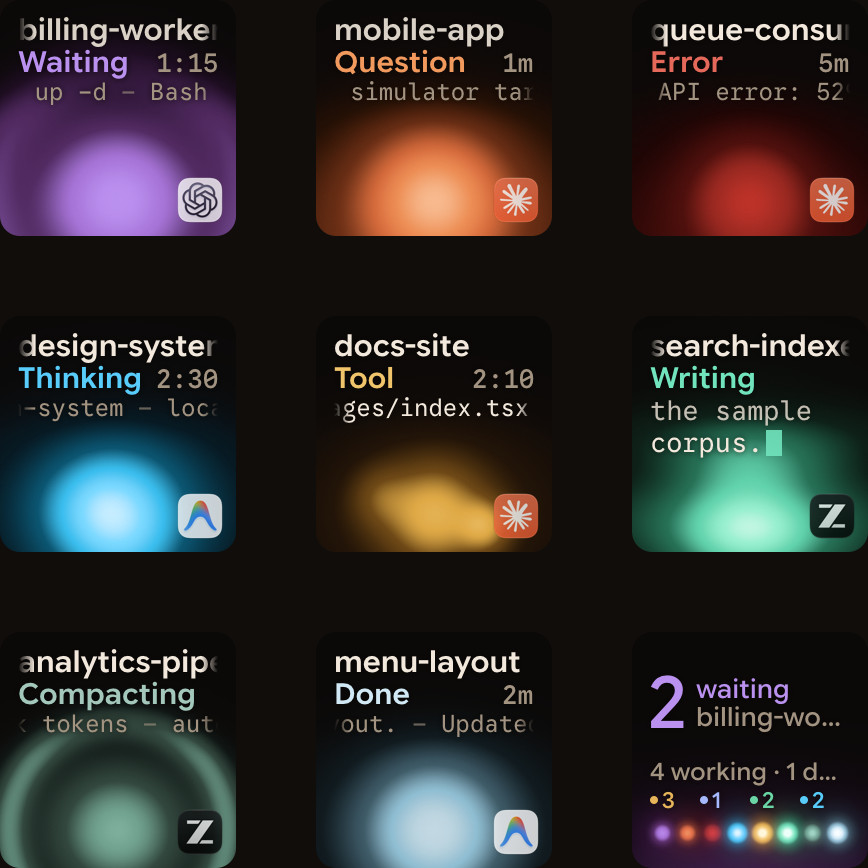
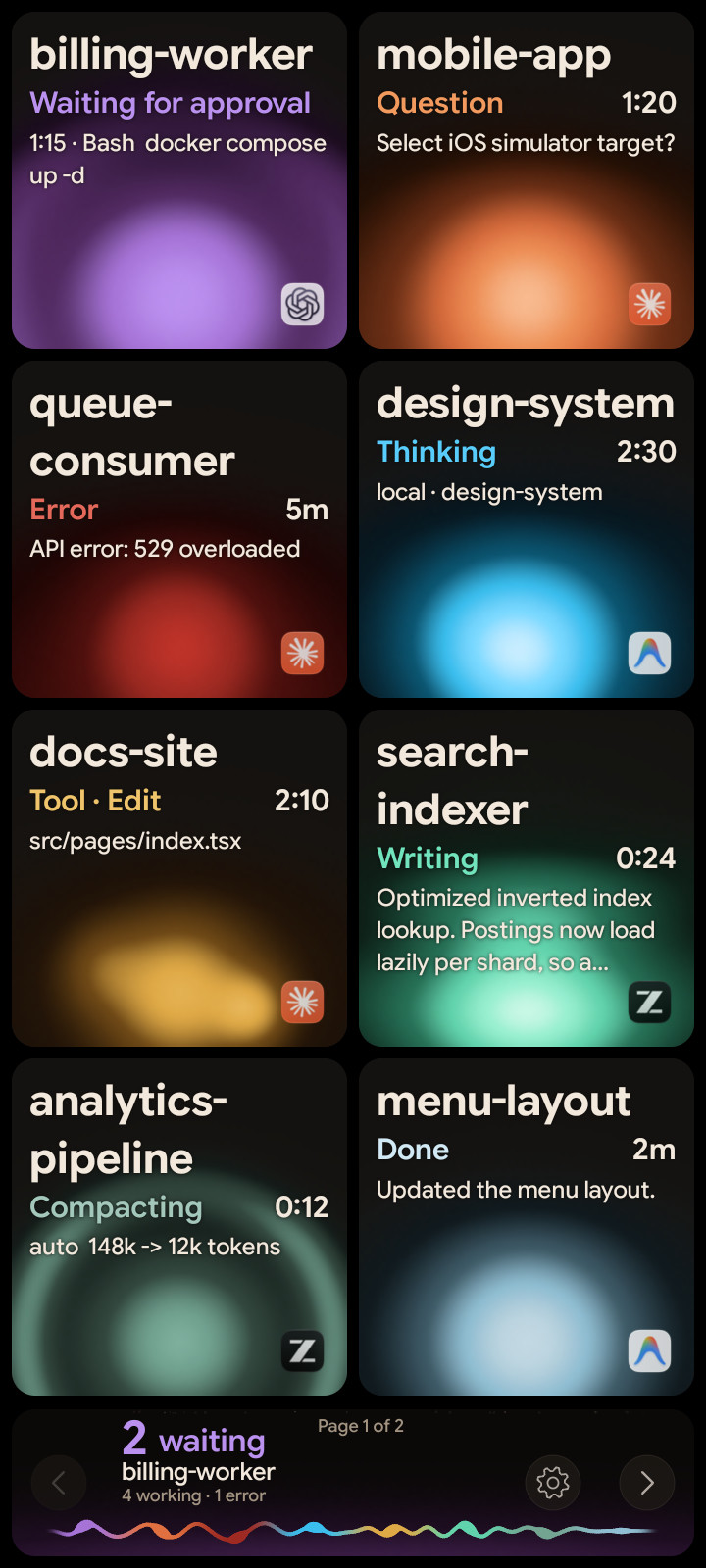
A status pad gives every session its own tile, always visible, next to your keyboard. Orbtile does this on an Android phone or on the Logitech MX Creative Keypad.
| What you want to know | Notifications | A tile per session |
|---|---|---|
| Something needs me | Yes, once | Yes, until you deal with it |
| Which session | Read the notification | The waiting tile moves to the front |
| What it's asking | Switch to the terminal | Shown on the tile |
| Answer without switching | No | Yes, for supported requests |
How it works with Orbtile:
- Each session gets a tile with its name, state (Thinking, Tool, Writing, Waiting, Done) and its latest words.
- Tiles sort by urgency: waiting sessions first, then working ones, then recent finishes, then idle ones. A new wait moves up at once.
- On the keypad or the phone, a tap opens that session's window on your computer, and a hold opens its focus view.
- For permission requests and multiple-choice questions, you can answer from the pad. Allow needs a hold of 0.6 seconds, so a stray tap never approves anything.
Set it up for Claude Code
- Install Orbtile on your Mac or Windows PC from the download page.
- In Orbtile, open Settings > Agents and install the Claude Code plugin.
- Restart any Claude Code session that was already running, once, so it picks up the plugin.
- Connect your pad: sign in and turn on Phone pad for the phone, or plug in the keypad.
The plugin talks to Orbtile over a private local socket on your computer. Your prompts, transcripts and code stay on your computer.
More than Claude Code
On a Mac, the same pad shows Codex, ZCode and Antigravity sessions, sessions on remote servers over SSH, and any tool you connect through the Adapter API. On Windows, Claude Code and Antigravity are supported today, and Codex and ZCode are being tested. Each agent has its own colour, so you can tell them apart at a glance.
FAQ
How many Claude Code sessions can Orbtile show?
Eight per page, with the ninth tile as a summary that jumps to the first waiting session. With more than eight sessions, the pages flip.
Does it replace Claude Code's notifications?
No. Both keep working. The prompt in the terminal always works too, and whichever answers first wins.
Do I need the Logitech keypad?
No. An Android phone works as the pad. The keypad adds physical keys.