
If you run more than one coding agent at a time, you know the routine. A terminal for each Claude Code session, a Codex chat in another window, and a quiet ten minutes where nothing seems to happen, because one of them has been waiting for your approval the whole time.
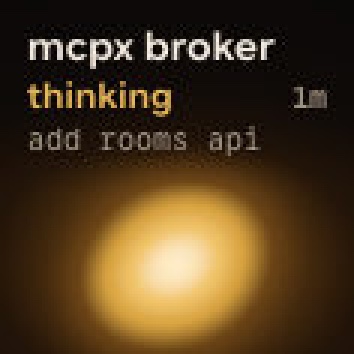
Orbtile 0.2 is our answer. It turns the Logitech MX Creative Keypad into a status pad for your agents: each of its nine keys shows one session, with its name, its state and its latest words over a glowing orb.
What 0.2 does
Every Claude Code, Codex and ZCode session on your Mac gets its own key. The orb's colour tells you the agent, and its motion tells you whether the session is thinking, running a tool, writing, waiting or done. Keys sort by state, so a session that stops to ask you something moves to the front and glows in its agent's alarm colour; working sessions come next, then recent finishes and idle ones.
Key 9 is the hub: it counts what's happening across every page, and a tap jumps to the first session waiting for you. Hold any other key and all nine show that one session, with its helper agents and its live text in larger type.
When a session asks for permission, press Deny, or hold Allow until its ring fills. Claude Code questions with options can be answered on the keys too. The Open Adapter API lets any other agent or script put its own sessions on the keypad.
It works next to Logi Options+
Orbtile drives the keypad directly over USB, so it doesn't need a plugin inside Options+. Options+ stays installed, and the keypad goes back to it when you quit Orbtile.
Free during the beta
Orbtile 0.2 is free during the beta and needs no licence key. It runs on Macs with Apple silicon and macOS 14 or later.
Getting started takes a minute: Run several Claude Code sessions at once and know which one needs you walks through it, and Use the Logitech MX Creative Keypad without Logi Options+ covers the keypad itself.