
Google Antigravity and Cursor are both agentic coding tools, but they are built in different ways. Antigravity is a set of Google tools: a desktop app, a CLI called agy, a standalone IDE, editor extensions and a Python SDK. Cursor calls itself "a coding agent for building ambitious software". It runs as a desktop app, Cursor Desktop, with a CLI called agent and Cloud Agents that run in isolated cloud VMs. Antigravity runs Gemini models on Google AI plans, plus Claude models on some plans. Cursor offers its own models, and third-party models on its Premium plan and above.
Side by side
| Google Antigravity | Cursor | |
|---|---|---|
| Main surfaces | Antigravity App, Antigravity CLI (agy), standalone Antigravity IDE, editor extensions, Antigravity SDK (Python) | Cursor Desktop, Cursor CLI (agent), Cloud Agents |
| Desktop systems | macOS 12 or later, Windows 10 (64-bit) or Windows 11, Linux with glibc 2.28 and glibcxx 3.4.25 or later, Googlebook | macOS 12 or later, Windows 10 or later, Linux through apt, dnf or AppImage |
| Works with | Extensions for VS Code, JetBrains IDEs, Visual Studio 2026, Zed, Xcode and Eclipse, plus any Agent Client Protocol editor | GitHub, GitLab, Azure DevOps, Bitbucket, JetBrains, Slack, Linear and more |
| One-shot CLI prompt | agy -p "prompt" | agent -p "prompt" |
| Planning first | plan mode in the CLI, cycled with Shift+Tab | Plan Mode, switched with Shift+Tab |
| Project rules | AGENTS.md, GEMINI.md, .agents/rules/*.md | .cursor/rules/*.mdc, AGENTS.md |
| MCP config | ~/.gemini/config/mcp_config.json, .agents/mcp_config.json | ~/.cursor/mcp.json, .cursor/mcp.json |
| MCP transports | stdio, Streamable HTTP | stdio, SSE, Streamable HTTP |
| Models | Gemini models, plus Claude models on some plans | Cursor's own models, plus Claude, GPT, Gemini and others on Premium and above |
| Your own API key | Not supported | Not included on Plus |
| Isolated parallel work | New worktree mode in the App, plus subagents | Cloud Agents in isolated cloud VMs |
Apps, editors and CLIs
Google Antigravity
The Antigravity App is the desktop app. It comes pre-installed on Googlebook. The standalone Antigravity IDE is a separate editor. The extensions bring the agent into editors you already use:
- VS Code 1.90 or later, on macOS, Linux or Windows.
- IntelliJ-based JetBrains IDEs 2026.2.1 or later, such as IntelliJ IDEA, PyCharm, WebStorm, GoLand, CLion and Rider.
- Visual Studio 2026 (17.8 or later), through an official VSIX extension.
- Zed 0.140.0 or later, on macOS or Linux.
- Xcode 27 beta 6 or later, on macOS.
- Eclipse 2026-06 or later, in Public Preview.
Any editor that supports the Agent Client Protocol can launch the CLI's agy acp server and run the agent in its own chat panel. Sign-in is shared across the extensions, the CLI and the desktop app. Enterprise sign-in works in the App, the CLI and the extensions, but not in the standalone IDE.
On macOS, Linux or Googlebook, the Antigravity CLI installs with:
curl -fsSL https://antigravity.google/cli/install.sh | bashOn Windows PowerShell, run irm https://antigravity.google/cli/install.ps1 | iex. agy opens the interactive interface, and agy -p "prompt" runs one prompt and prints the answer. Google's FAQ says headless mode is meant for direct scripting and CI. It also says wrapping agy in third-party agents isn't supported on consumer plans.
See Google Antigravity IDE: editor, agents and permissions and Antigravity CLI (agy): settings and allow all permissions.
Cursor
Cursor Desktop runs on macOS 12 (Monterey) and later, on Apple silicon or Intel. It also runs on Windows 10 and later, and on Linux through apt, dnf or AppImage. Open Agent with Cmd+I.
The Cursor CLI starts with agent and runs on macOS, Linux, WSL and Windows through PowerShell. On macOS, Linux or WSL, install it with:
curl https://cursor.com/install -fsS | bashOn Windows PowerShell, run irm 'https://cursor.com/install?win32=true' | iex. agent starts an interactive session, and agent -p "prompt" runs one prompt for scripts, CI pipelines and automation.
Cloud Agents are Cursor's third surface. They run in isolated cloud VMs, so they don't need your computer to stay online. You can start them from:
- Cursor Desktop, by choosing Cloud under the agent input.
- Cursor Web at cursor.com/agents, or the Cursor iOS app.
- Slack or Linear, with the @cursor command.
- GitHub or Bitbucket, by commenting @cursor on a pull request or issue.
- The API, to start agents from code.
Cloud Agents need Premium or higher, Teams, Enterprise or a legacy paid plan.
Planning, modes and parallel agents
In the Antigravity CLI, Shift+Tab cycles through auto, plan, default and accept-edits. In auto, workspace edits and sandboxed commands run without prompting. The /goal command runs a task until it is done, without pausing for input. In the App, each project runs in Local mode, directly in your folders, or New worktree mode, in an isolated Git worktree. Antigravity keeps your computer from sleeping while an agent runs.
A parent agent can start subagents that begin with a clean context. The built-in subagents are research, browser and self. You can also write your own as Markdown files. Subagents can nest up to 10 levels deep. See Google Antigravity multi-agent: run parallel coding agents.
In Cursor, Plan Mode researches the codebase, asks clarifying questions and writes a plan. You can edit the plan before you build it. Press Shift+Tab to switch modes, or use the mode picker in Agent. For quick changes or tasks you've done many times, the docs say going straight to Agent mode is fine. For parallel work, each Cloud Agent gets its own VM, with cloned repositories, installed dependencies, secrets and network access. That lets it build and test its changes.
Permissions and terminal sandboxing
Antigravity has four permission presets:
- Request Review turns the sandbox off, and every terminal command needs your approval.
- Default runs commands in a sandbox, and commands that need to run outside it need approval.
- Auto runs commands in a sandbox and checks commands outside it automatically.
- With Auto, risky or irreversible commands still need your approval.
- Turbo turns the sandbox off and allows any command, the whole file system, and MCP and web actions.
Your own allow, ask and deny rules sit on top of the preset. When rules conflict, Deny wins over Ask, and Ask wins over Allow.
In Cursor, your Run Mode controls when commands run, when Cursor asks, and when terminal commands go into the sandbox. The sandbox runs terminal commands in a restricted environment that blocks unauthorised file access and network activity.
Rules and project instructions
Antigravity loads AGENTS.md, GEMINI.md and .agents/rules/*.md from the workspace and its parent folders, up to the repository root. It doesn't load rules from subfolders below the workspace. Global rules live under ~/.gemini/. AGENTS.md and GEMINI.md need no frontmatter. Files in rules/ need frontmatter with a trigger: always_on, model_decision, glob or manual. Without one, the file is silently discarded. A rule file over 24,000 bytes is cut short, and global and always_on rules share a 20,000-token budget.
Cursor keeps project rules in .cursor/rules, and they must use the .mdc extension. A plain .md file there is ignored. Each rule has description, globs and alwaysApply frontmatter. The four rule types are:
- Always Apply, included in every chat session.
- Apply to Specific Files, included when a file matches its pattern.
- Apply Intelligently, included when Agent judges the description relevant.
- Apply Manually, included only when you @-mention it.
Cursor also reads AGENTS.md in the project root and in subdirectories, where more specific files take precedence. User rules apply across all your projects. Team rules come from the dashboard on Team and Enterprise plans. Team rules win over project rules, and project rules win over user rules.
MCP servers
Antigravity reads Model Context Protocol servers from ~/.gemini/config/mcp_config.json for all projects, and <workspace>/.agents/mcp_config.json for one workspace. You can also add them in the App under Customizations > Installed > MCP Servers, with /mcp in the CLI, or from the MCP Store in the IDE. It supports local stdio servers and remote Streamable HTTP servers. The legacy HTTP+SSE transport is not supported. Tools load lazily by default. Antigravity handles OAuth 2.0 with PKCE for remote servers that support it. By default, connecting times out after 5 minutes and each tool call after 3 minutes. See Google Antigravity MCP servers: set up and manage tools.
Cursor reads .cursor/mcp.json in the project folder and ~/.cursor/mcp.json in your home folder for every project. It supports stdio, SSE and Streamable HTTP. OAuth works for SSE and Streamable HTTP servers. stdio servers take their secrets from environment variables, set in mcp.json.
Models, plans and usage
Every Antigravity plan includes Gemini 3.8 Flash, unlimited Tab completions, scheduled tasks and the CLI. Gemini 4 Argon needs Google AI Pro (paid, or a trial on eligible premium devices), Google AI Ultra or Enterprise. Claude Sonnet 5.5 (thinking) and Claude Opus 5.5 (thinking) need a paid Google AI Pro subscription, Google AI Ultra or Enterprise. You pick a model below the prompt box, and the choice stays for the rest of the conversation.
- Google AI Ultra has the highest quota, refreshed every five hours, and the highest weekly rate limits.
- Google AI Pro has a high quota, refreshed every five hours until the weekly limit is reached.
- Other accounts get a quota that refreshes weekly, with a weekly rate limit.
- On Pro and Ultra, the AI Credit Overages setting uses AI credits after the quota runs out, or never.
- Bring-your-own-key and custom endpoints are not supported.
On paid plans, Cursor's own models, such as Composer 2.5, draw from a usage pool that resets weekly. Third-party models include Claude, GPT, Gemini, DeepSeek, GLM, Kimi and Muse. They are billed at API list price from prepaid credit, on Premium and above. The plans are Free, Plus, Premium, Super, Ultra, Teams and Enterprise. When your pool runs out, you can wait for the reset, use prepaid credit or upgrade. On individual plans, Auto mode has only its Cost mode. Plus doesn't include your own API keys.
Watch Antigravity sessions on a keypad or phone with Orbtile
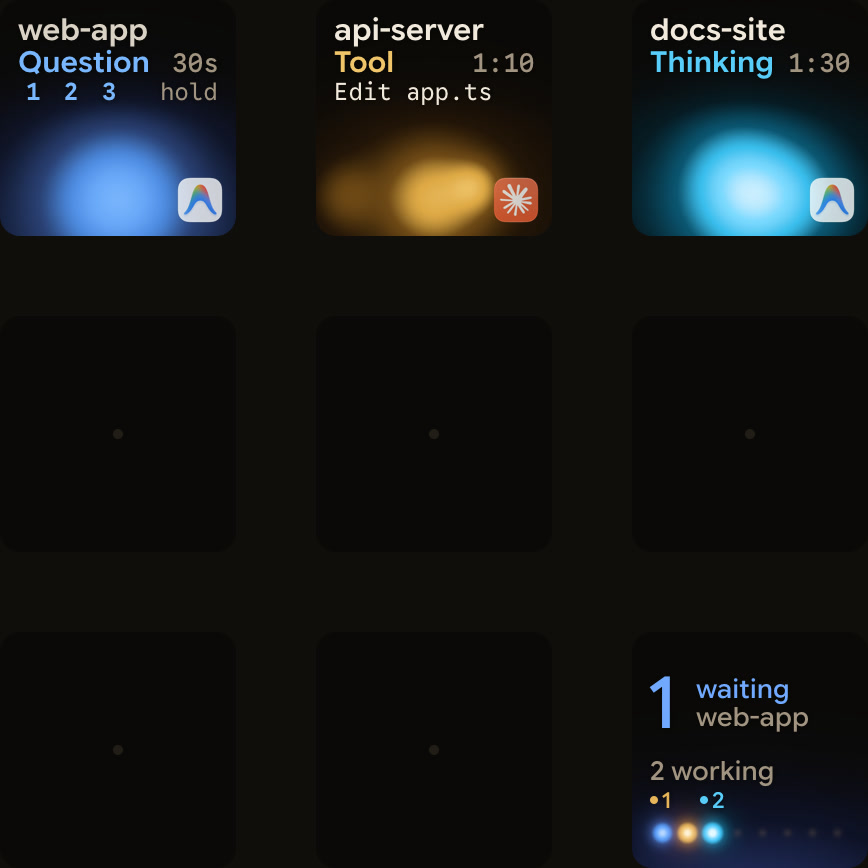
Orbtile shows coding agent sessions on a Logitech MX Creative Keypad, or on an iPhone or Android phone with Orbtile Mobile. It runs on a computer with macOS 14.0 Sonoma or later on Apple silicon, or a Windows 11 PC (x64).
- Each conversation in the Antigravity desktop app gets its own key, with its title and state.
- A conversation waiting on a question moves to the front, and replies appear as live text.
- You can answer up to four questions with two to four choices each from the keys.
- Permission requests and written answers stay on the computer.
- Orbtile follows the desktop app only, so Antigravity IDE and CLI sessions don't appear.
- The same pad shows Claude Code, Codex, ZCode and Kimi Code sessions.
- Your own scripts and agents can show sessions through the Adapter API, which is off by default.
See Antigravity notifications: CLI alerts and waiting agents, Google Antigravity vs Claude Code: what's the difference and Show any script or agent on a keypad with the Orbtile Adapter API.
FAQ
What is the main difference between Google Antigravity and Cursor?
Antigravity is a set of Google tools: a desktop app, the agy CLI, a standalone IDE, a Python SDK and extensions for VS Code, JetBrains IDEs, Visual Studio, Zed, Xcode and Eclipse. Cursor runs as the Cursor Desktop app, with the agent CLI and Cloud Agents that run in isolated cloud VMs.
Do Antigravity and Cursor both read AGENTS.md?
Yes. Antigravity reads AGENTS.md and GEMINI.md from the workspace and its parent folders up to the repository root, but not from subfolders. Cursor reads AGENTS.md in the project root and in subdirectories, and keeps its own project rules as .mdc files in the .cursor rules folder.
Can I use my own API key with Antigravity or Cursor?
Antigravity does not support bring-your-own-key or custom endpoints. Cursor's Plus plan doesn't include your own API keys. On Cursor Teams and Enterprise, the Cursor Token Rate applies to your own key usage, with some exemptions.
Does Orbtile work with Google Antigravity?
Orbtile follows conversations in the Antigravity desktop app. It shows each one's title and state on a Logitech MX Creative Keypad, an iPhone or an Android phone. You can answer numbered-option questions from the keys, while permission requests and written answers stay on the computer. Antigravity IDE and CLI sessions don't appear.