
OpenCode is an open source coding agent with a terminal interface, a desktop app and a web app. It takes its providers and models from the models.dev catalogue. Claude Code is Anthropic's agentic coding tool for the terminal, IDEs, a desktop app and the browser. Anthropic does not support routing it to non-Claude models through any gateway. Both read AGENTS.md, but OpenCode prefers it over CLAUDE.md, while Claude Code prefers CLAUDE.md over it.
OpenCode vs Claude Code at a glance
| OpenCode | Claude Code | |
|---|---|---|
| What it is | An open source coding agent | An agentic coding tool that reads your codebase, edits files and runs commands |
| Where it runs | Terminal interface, desktop app and web app | Terminal, VS Code and JetBrains extensions, desktop app and web |
| Models | Providers and models from the models.dev catalogue, plus local Ollama models | Claude models through a Claude subscription, the Anthropic Console, cloud providers or an LLM gateway |
| Connect a model | Run /connect, enter credentials, then pick a model with /models | Log in on first use, or approve an ANTHROPIC_API_KEY |
| Project instructions | AGENTS.md, or CLAUDE.md when no AGENTS.md exists | CLAUDE.md, or AGENTS.md when no CLAUDE.md or CLAUDE.local.md exists |
| Personal instructions | ~/.config/opencode/AGENTS.md, or ~/.claude/CLAUDE.md when that file is missing | ~/.claude/CLAUDE.md |
| Start an instruction file | /init creates AGENTS.md, or improves an existing one in place | /init generates CLAUDE.md and folds in other tools' rule files |
Install OpenCode and Claude Code
Install OpenCode with its install script:
curl -fsSL https://opencode.ai/v2/install | bash- OpenCode also installs with npm, Bun, pnpm, Yarn, Vite+, Homebrew, the AUR or mise.
- The npm package is
@opencode/cli, installed withnpm install -g @opencode/cli. - On Windows, OpenCode offers standalone CLI zip downloads and a desktop app installer.
- OpenCode's docs state that Windows package managers are not supported.
Install Claude Code on macOS, Linux or WSL:
curl -fsSL https://claude.ai/install.sh | bashIn Windows PowerShell:
irm https://claude.ai/install.ps1 | iex- When the installer finishes, open a new terminal and run
claude --versionto check the install. - Native installs update automatically in the background.
- Homebrew and WinGet installs do not auto-update, so you upgrade them yourself.
- The commands are
brew install --cask claude-codefor Homebrew andwinget install Anthropic.ClaudeCodefor WinGet. - On native Windows, Git for Windows lets Claude Code use the Bash tool, and without it Claude Code uses PowerShell.
- The Claude desktop app includes Claude Code, so you don't need the CLI separately, and it requires a paid subscription.
Model providers and LLM gateways
OpenCode takes its provider and model list from the models.dev catalogue. Run /connect, choose a provider and enter its credentials, then run /models to pick a model. Start Ollama and pull a model, and OpenCode finds it automatically and adds its completion models to /models. To send a catalogue provider through a proxy or compatible endpoint, override its settings.baseURL.
Claude Code reaches Claude models in these ways:
| Way in | How you set it | Main features missing |
|---|---|---|
| Claude subscription | Sign in with a claude.ai account on Pro, Max, Ultra, Team or Enterprise | Nothing missing, though some features depend on the plan |
| Anthropic Console | An Anthropic API key or a Console sign-in | Features that require a Claude subscription |
| Amazon Bedrock | CLAUDE_CODE_USE_BEDROCK | Web search, fast mode, Advisor and Channels |
| Claude Platform on AWS | CLAUDE_CODE_USE_ANTHROPIC_AWS | Fast mode, Advisor, Channels and GitHub Actions |
| Google Cloud's Agent Platform | CLAUDE_CODE_USE_VERTEX | Fast mode, Advisor and Channels |
| Microsoft Foundry | CLAUDE_CODE_USE_FOUNDRY | Fast mode, Advisor, Channels and GitLab CI/CD |
| LLM gateway | ANTHROPIC_BASE_URL plus a gateway credential | Matches the provider behind it, minus features Claude Code turns off |
The four cloud providers also lack every feature that requires a claude.ai sign-in, such as cloud sessions, Remote Control and Ultrareview.
- The CLI, Agent SDK, VS Code and JetBrains extensions, hooks, skills, plugins and MCP servers work on every provider.
- Any gateway that exposes a supported API format works, but Anthropic does not endorse, maintain or audit third-party gateway products.
ANTHROPIC_BASE_URLchanges where requests are sent, not which model answers them.- Setting
ANTHROPIC_BASE_URLwithout a gateway credential leaves a saved claude.ai login active, so its usage limits and billing still apply. - When
ANTHROPIC_BASE_URLpoints at a host other thanapi.anthropic.com, Claude Code turns off features such as Remote Control and server-managed settings.
Inside Claude Code, pick a model with /model, claude --model, ANTHROPIC_MODEL or the model setting, in that order of priority. Aliases include opus, sonnet, haiku, fable and best. The opusplan alias uses opus in plan mode, then switches to sonnet for execution. Administrators can restrict which models users can select with availableModels in managed settings.
How OpenCode reads AGENTS.md and CLAUDE.md
- OpenCode reads an
AGENTS.mdin your project root, and its rules apply in that directory and its subdirectories. - It uses a project
CLAUDE.mdonly when noAGENTS.mdexists, so with both files present onlyAGENTS.mdis used. - Personal rules go in
~/.config/opencode/AGENTS.md, which takes priority over~/.claude/CLAUDE.md. - The
instructionsoption inopencode.jsonadds more instruction files or remote URLs, combined with yourAGENTS.mdfiles. - Setting
OPENCODE_DISABLE_CLAUDE_CODE=1turns off all.claudesupport in OpenCode. - Narrower variables turn off only
~/.claude/CLAUDE.mdor only.claude/skills.
How Claude Code reads AGENTS.md and CLAUDE.md
- From v2.1.277, Claude Code reads
AGENTS.mdwhen there is noCLAUDE.md,.claude/CLAUDE.mdorCLAUDE.local.mdin your working directory or above it. - Your
~/.claude/CLAUDE.md, your organisation's managedCLAUDE.mdand.claude/rules/files keep loading alongsideAGENTS.md. - Claude Code does not read
AGENTS.local.md,AGENTS.override.mdor anything under a.agents/directory. - Adding a
CLAUDE.local.mdto a project that relies onAGENTS.mdstops Claude Code readingAGENTS.mdfor you. - Set Project instructions in
/configtoclaude-md-and-agents-mdto have Claude Code read both files together. - Set Project instructions to
claude-mdormanaged-onlyto leaveAGENTS.mdout. - Before v2.1.281, some sessions, such as those on Amazon Bedrock or with telemetry disabled, read
CLAUDE.mdfiles only.
Share one instruction file between OpenCode and Claude Code
The simplest shared setup is one AGENTS.md and no CLAUDE.md. OpenCode reads AGENTS.md first, and Claude Code reads it when it finds no CLAUDE.md.
If you need rules for Claude Code only, keep a CLAUDE.md that imports AGENTS.md, and add the extra rules below the import:
@AGENTS.md

## Claude Code

Use plan mode for changes under `src/billing/`.
OpenCode still reads only AGENTS.md, because it uses CLAUDE.md only when no AGENTS.md exists.
- Claude Code's
/initfolds Cursor and Copilot rule files into the generatedCLAUDE.md. - With
CLAUDE_CODE_NEW_INIT=1set, Claude Code's/initalso readsAGENTS.md. - Claude Code's
/importappends a one-time copy of files such asAGENTS.mdtoCLAUDE.md. /importalso carries over MCP servers, commands, subagents and skills./importis unavailable on Amazon Bedrock, Google Cloud's Agent Platform, Microsoft Foundry and Claude Platform on AWS, and through a Claude apps gateway.- If anyone works on Windows, use the
@AGENTS.mdimport rather than a symlinkedCLAUDE.md.
Orbtile with Claude Code and OpenCode
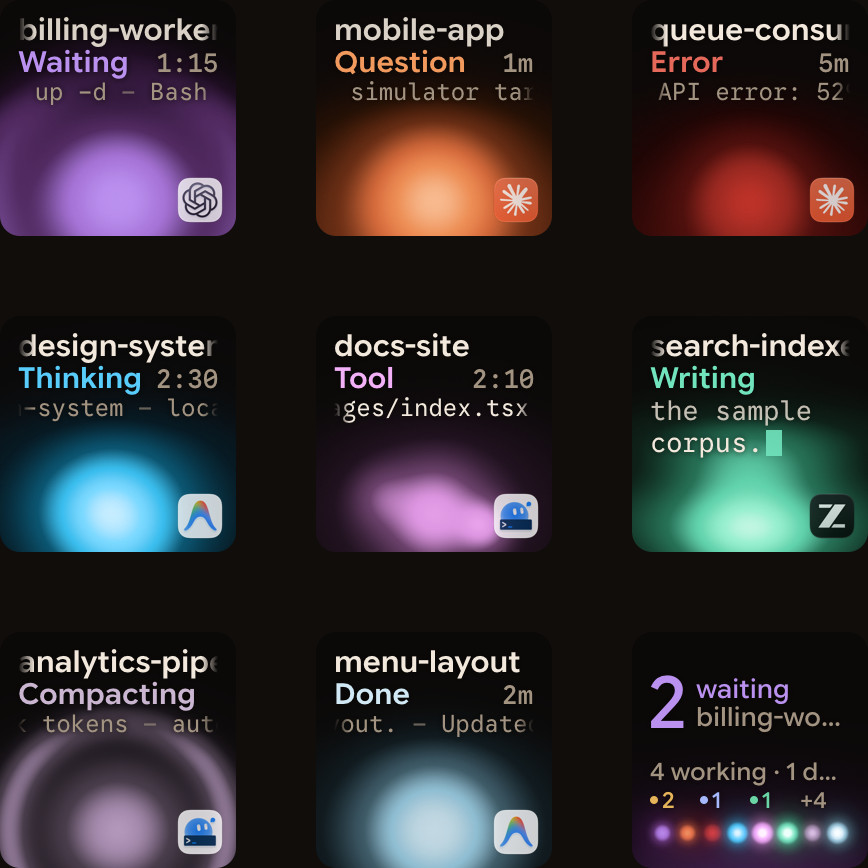
Orbtile puts coding agent sessions on a Logitech MX Creative Keypad, an iPhone (iOS 17 or later) or an Android phone (Android 8.0 or later), with waiting sessions first. It runs on a computer with macOS 14.0 Sonoma or later on Apple silicon, or Windows 11 (x64). Claude Code, Codex, ZCode, Antigravity and Kimi Code are supported out of the box.
- Claude Code: install the Orbtile plugin in Settings > Agents > Claude Code on a Mac, or with its Install button on Windows.
- Running sessions: restart Claude Code sessions that were already running once, so they load the plugin.
- Background runs: turn on Show background sessions on Claude Code's page, so scheduled or headless runs get keys too.
- OpenCode: it is not one of the supported agents, so it needs an adapter you build with Orbtile's Adapter API.
- Turn on adapters: in Settings > Agents, choose Build your own, turn on Let your own tools show sessions, then allow each new adapter.
- Answer from the keypad: for local Claude Code sessions, press Deny on key 7 once, or hold Allow on key 9 for 0.6 seconds.
See Show any script or agent on a keypad with the Orbtile Adapter API and Approve agent tool calls without switching windows.
FAQ
Can Claude Code use non-Claude models through an LLM gateway?
No. Anthropic states that it does not support routing Claude Code to non-Claude models through any gateway. Setting ANTHROPIC_BASE_URL only changes where requests are sent, not which model answers them.
Does OpenCode read a CLAUDE.md file written for Claude Code?
Yes, as a fallback. OpenCode uses a project CLAUDE.md only when no AGENTS.md exists, and uses ~/.claude/CLAUDE.md only when there is no ~/.config/opencode/AGENTS.md. Setting OPENCODE_DISABLE_CLAUDE_CODE=1 turns off all .claude support.
Does Claude Code read an existing AGENTS.md file?
Yes. From v2.1.277, Claude Code reads AGENTS.md when there is no CLAUDE.md, .claude/CLAUDE.md or CLAUDE.local.md in your working directory or above it. You can also import AGENTS.md inside a CLAUDE.md file, or set Project instructions to claude-md-and-agents-md in /config.
Why does Claude Code sometimes ignore a rule in CLAUDE.md or AGENTS.md?
Claude Code treats these files as context, not enforced configuration. To block an action whatever Claude decides, use a PreToolUse hook instead.