
Windsurf is an AI-native IDE built around Cascade, an AI agent that works as a coding partner, according to Anthropic's customer story. Claude powers some of Cascade's reasoning and planning. Google Antigravity spreads its agents across a desktop App, the Antigravity CLI (agy), editor extensions, a standalone Antigravity IDE and a Python SDK, with Google or Gemini sign-in.
Windsurf and Google Antigravity side by side
This table uses Anthropic's Windsurf customer story and Google's Antigravity documentation.
| Area | Windsurf | Google Antigravity |
|---|---|---|
| Main surface | An AI-native IDE | Antigravity App (v2.5+), Antigravity CLI (agy v1.2+), editor extensions, standalone Antigravity IDE and Python SDK |
| Built-in agent | Cascade, an AI agent that works as a coding partner | Agents in the App, CLI, extensions and IDE, with Planning mode Artifacts in the App and CLI |
| Session context | Claude's context window lets Cascade keep track of everything in a session | Artifacts let you review the agent's work at milestones instead of every step |
| Image input | Image inputs and other multimodal features from Claude | Not described in the pages checked |
| Editors | Its own IDE | Extensions for VS Code, JetBrains IDEs, Visual Studio, Zed, Xcode and Eclipse (Public Preview) |
| Operating systems | Not described in the pages checked | macOS 12 or later, Windows 10 (64-bit) or Windows 11, Linux and Googlebook |
| Sign-in | Not described in the pages checked | Personal Google Account, Gemini Enterprise or a Gemini API key |
| Git worktrees | Not described in the pages checked | New worktree mode for a project in the App |
| Permission controls | Not described in the pages checked | Deny, Ask and Allow rules, plus four presets in the App |
Windsurf and Cascade
Anthropic's customer story describes Windsurf as an AI coding platform that uses Claude to power its AI-native IDE.
- The product combines a modern IDE with Cascade, an AI agent that works as a coding partner.
- Claude powers some of the reasoning and planning parts of Cascade.
- Claude looks at everything that has happened in a session and works out the best next steps.
- Claude's large context window lets Cascade keep track of the whole session.
- Windsurf later added image inputs and other multimodal features from Claude to its platform and Cascade.
What the story reports about how Windsurf is used:
- Windsurf reached 10,000 users within two days of launch.
- It has more than 800,000 active users and more than 1,000 enterprise customers.
- It processes more than 100 million tokens per minute.
- In companies that install Windsurf, its AI writes nearly half of all new committed code.
- It reports a 38% improvement in how often developers accept its AI suggestions.
The story does not list Windsurf's system requirements, sign-in options or permission controls.
Google Antigravity surfaces and editor support
Google Antigravity comes as the Antigravity App, the Antigravity CLI, editor extensions, the standalone Antigravity IDE and the Antigravity SDK for Python.
The App and the standalone IDE run on:
- macOS 12 (Monterey) or later, on Apple Silicon or 64-bit Intel.
- Windows 10 (64-bit) or Windows 11, on x64 or ARM64.
- Linux with glibc 2.28 or later and glibcxx 3.4.25 or later, such as Ubuntu 20+, Debian 10+, Fedora 36+ and RHEL 8+.
- Googlebook, where it comes pre-installed and updates through Google Play.
In the standalone IDE, Cmd+L (Ctrl+L on Windows and Linux) focuses the Agent panel and adds the selected lines as context.
Editor extensions
| Editor | Minimum version and platform |
|---|---|
| VS Code | 1.90+ on macOS, Linux and Windows |
| JetBrains | IntelliJ-based IDEs 2026.2.1+, such as IntelliJ IDEA, PyCharm, WebStorm, GoLand, CLion and Rider |
| Visual Studio | 2026 (17.8+) on Windows 10 or 11 |
| Zed | 0.140.0+ on macOS and Linux |
| Xcode | Xcode 27 beta 6+ on macOS |
| Eclipse | 2026-06+ on macOS, Linux and Windows, in Public Preview |
Gemini Enterprise sign-in is generally available in the VS Code and Visual Studio extensions. It is in Preview for JetBrains, Zed, Xcode and Eclipse. See Google Antigravity IDE: editor, agents and permissions.
Antigravity CLI and Python SDK
On macOS, Linux and Googlebook, install the CLI with:
curl -fsSL https://antigravity.google/cli/install.sh | bashIn Windows PowerShell, run:
irm https://antigravity.google/cli/install.ps1 | iexCheck it with agy --version. On first launch, you pick a colour scheme and a rendering mode, then confirm workspace trust before file indexing starts.
The SDK installs with pip install google-antigravity in a Python 3.10+ virtual environment, and Poetry and uv also work. It authenticates with GEMINI_API_KEY or Vertex AI environment variables. Its LocalAgentConfig takes allow, deny and ask_user policies for tool calls.
Projects, Artifacts and commands in Google Antigravity
In the Antigravity App, agents run inside Projects in one of two modes:
- Local mode works directly in your active folders.
- New worktree mode works in an isolated Git worktree.
In Planning mode, the agent creates Artifacts so you can review its work at milestones instead of watching every step.
- Artifacts include Markdown implementation plans, code diffs, architecture diagrams, images and browser recordings.
- You can leave text feedback on an Artifact, such as a plan, before the agent changes local files.
- The App shows Artifacts in a visual sidebar and review pane, where you can play back browser recordings.
- The CLI shows a status bar notice when changed files need your approval.
Slash commands in the App and CLI include:
/goalruns a task on its own until it is finished./grill-mehas the agent interview you about requirements before it starts./scheduleruns a one-time delayed task or a recurring cron job./browserstarts browser debugging and research in Chrome./pluginmanages Marketplace plugins or builds custom plugin bundles.- In the CLI,
/agentsswitches subagents and/usageshows credits and quotas.
Account rules from Google's FAQ:
- Antigravity is unavailable to users under 18 and needs an account in a supported country or territory.
- Gemini Enterprise sign-in works in the App, CLI and IDE extensions, but not in the standalone Antigravity IDE.
- Using third-party software to access Antigravity can lead to account suspension or termination.
- Google recommends a Gemini Enterprise or Google AI Studio API key for third-party coding agents.
See Google Antigravity vs Claude Code: what's the difference.
Permissions and the Terminal sandbox in Google Antigravity
The App treats each sensitive operation as action(target) and checks it against Deny, Ask and Allow lists. Conflicting rules follow a strict order: Deny, then Ask, then Allow.
| Preset | Terminal sandbox | Terminal commands | File access | MCP and web |
|---|---|---|---|---|
| Request Review | Disabled | Always ask | Workspace only | Ask |
| Default (the default) | Enabled | Allowed in sandbox, ask outside | Workspace and temp directories | Ask |
| Auto | Enabled | Allowed in sandbox, checked automatically outside | Workspace and temp directories | Ask |
| Turbo | Disabled | Allowed without limits | Full filesystem | Allowed |
How the presets behave:
- The sandbox can reach only your workspace and system temp directories, and it has no network access.
- Outside the sandbox, Auto runs safe, reversible commands and asks before risky or irreversible ones.
- Auto needs App v2.23.0+ on macOS and Linux or v2.26.0+ on Windows, plus a working sandbox.
- Auto is not available for business or enterprise accounts.
- You set the preset globally in Settings > General > Global Permissions, or per project in Settings > Projects.
In the CLI, the same rules live under permissions in ~/.gemini/antigravity-cli/settings.json. Shift+Tab switches between execution modes such as auto, accept-edits and default. Your explicit rules always take precedence over the mode. See Antigravity CLI (agy): settings and allow all permissions.
Watch Antigravity sessions on a keypad or phone with Orbtile
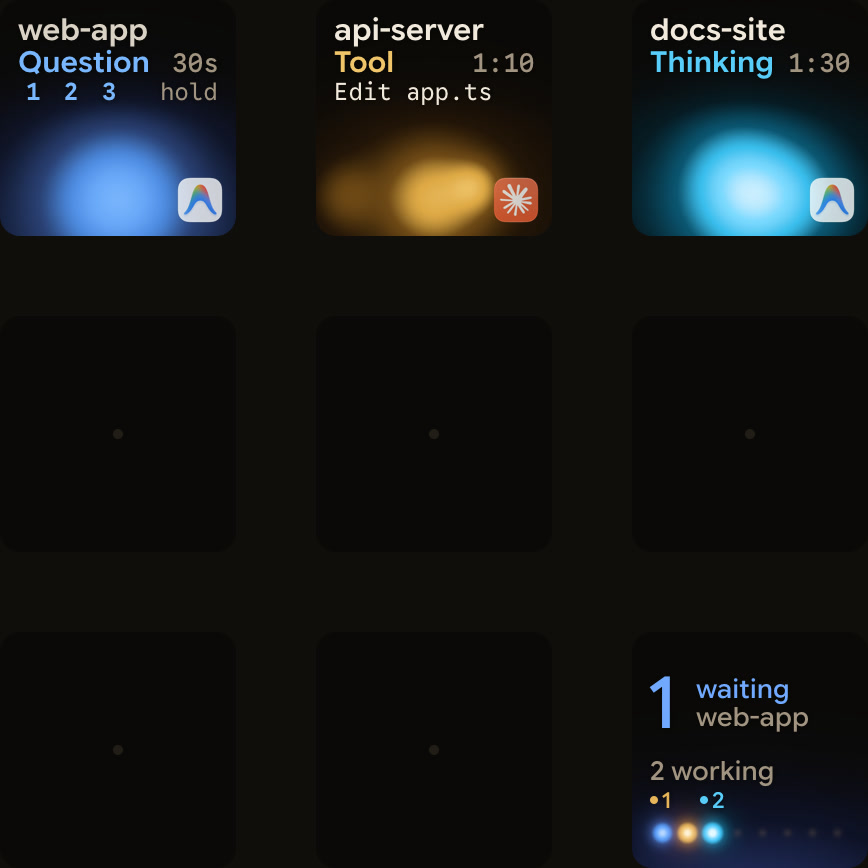
When several agents run at once, it is hard to see which one is waiting for you. Orbtile shows coding-agent sessions on a Logitech MX Creative Keypad, an iPhone (iOS 17+) or an Android phone (Android 8.0+) with Orbtile Mobile. It runs on a computer with macOS 14.0 Sonoma or later on Apple silicon, or Windows 11 (x64). Logi Options+ is not required.
Built-in support covers Claude Code, Codex, ZCode, Antigravity and Kimi Code. Windsurf is not among them.
- Each conversation in the Antigravity desktop app gets its own key, with its title, state and live response text.
- A waiting conversation moves to the front, and a tap on key 9 focuses the first waiting session.
- Turn on Settings > Agents > Antigravity > Answer questions from the keypad to answer questions with numbered options.
- Tap your picks, then hold Send, for up to four questions with two to four choices each.
- Antigravity permission prompts and written answers stay on your computer.
- Antigravity CLI and Antigravity IDE sessions do not appear.
- Your own scripts and tools can show their sessions through Orbtile's local Adapter API, which you turn on in Settings > Agents under Build your own.
See Show any script or agent on a keypad with the Orbtile Adapter API.
FAQ
What is the main difference between Windsurf and Google Antigravity?
Anthropic's customer story describes Windsurf as one AI-native IDE built around Cascade, an AI agent partly powered by Claude. Google Antigravity spreads its agents across a desktop App, the agy CLI, editor extensions, a standalone IDE and a Python SDK, with Google or Gemini sign-in.
What does Claude do in Windsurf?
Claude powers some of the reasoning and planning parts of Cascade. It looks at everything that has happened in a session to work out the next steps, and its context window lets Cascade keep track of the whole session. Windsurf also added image inputs from Claude.
Which operating systems does Google Antigravity support?
The Antigravity App and standalone IDE run on macOS 12 or later, Windows 10 (64-bit) or Windows 11, Linux with glibc 2.28 or later, and Googlebook. The CLI installs on macOS, Linux, Googlebook and Windows.
Which sessions from this comparison can Orbtile show on a keypad or phone?
Orbtile shows conversations from the Antigravity desktop app, with their state and live response text, on a Logitech MX Creative Keypad, an iPhone or an Android phone. You can answer supported numbered-option questions there. Antigravity CLI and IDE sessions do not appear, and Windsurf is not a built-in agent.