
What Claude Code costs depends on how you sign in. On the Claude Console or a cloud provider you pay per token, and Anthropic reports an average of around $13 per developer per active day across enterprise deployments. On Pro, Max, Ultra, Team and Enterprise plans, usage is included up to your plan's limits. You check those limits with /usage, and usage credits let you keep working past them.
How Claude Code is billed on each plan
Anthropic says per-developer costs vary widely with model choice, codebase size and usage patterns. Across enterprise deployments, the average is $150 to $250 per developer per month, and costs stay below $30 per active day for 90% of users. If your organisation mixes sign-in methods, each developer is metered by the method they signed in with.
| Setup | How usage is metered | Where you see spend | How you cap spend |
|---|---|---|---|
| Pro and Max | A five-hour session limit and a weekly limit | /usage, and Settings > Usage on claude.ai | A monthly spend limit on usage credits |
| Ultra | A weekly limit, with no five-hour limit on verified accounts | /usage, and Settings > Usage on claude.ai | A monthly spend limit on usage credits |
| Claude for Teams or Enterprise | A per-seat allowance on a rolling five-hour window and a weekly window | The spend report in org analytics | Spend limits in admin settings |
| Claude Console (API) | Per token, billed to your organisation | The Console Cost page | Workspace spend limits |
| Amazon Bedrock, Google Cloud's Agent Platform or Microsoft Foundry | Per token, billed to your cloud account | Your cloud billing console | Your cloud's budget controls |
Three sign-in details often explain an unexpected bill:
- If the
ANTHROPIC_API_KEYenvironment variable is set, Claude Code uses that API key instead of your Claude subscription, so API usage charges apply. - If you signed in through Console pay-as-you-go, run
/logininside Claude Code to switch to your subscription plan. - If the login options don't appear, run
/logoutandclaude update, restart your terminal, then runclaudeagain.
Usage limits on Pro, Max and Ultra plans
Pro and Max plans have a five-hour session limit and a weekly limit. Ultra has a weekly limit, and verified Ultra accounts have no five-hour limit. Max and Ultra also have a separate weekly limit for Fable.
Claude and Claude Code share these limits, so activity in either counts toward them. That includes Claude Code in VS Code, Cursor and other VS Code forks, and JetBrains IDEs such as IntelliJ and PyCharm. You see warnings as you approach any limit.
What happens when you hit a limit
If you reach your five-hour limit mid-response, Claude Code may finish the current step and show Usage limit reached · wrapping up. This is rolling out gradually.
- The wrap-up covers only a response already in progress, never a new message.
- Usage during the wrap-up counts toward your weekly limit.
- Pro gets the wrap-up up to once per weekly usage period.
- Max gets it each time you reach a five-hour limit, within your weekly limit.
The limit message tells you which ceiling you reached:
You've hit your session limitorYou've hit your weekly limitapplies across all models and shows when the window resets.- Switching models with
/modeldoes not restore access after a session or weekly limit. - After
You've hit your Opus limitorYou've hit your Sonnet limit, switching to a model outside that family with/modelkeeps you working. - A context or auto-compact warning is not a usage limit. It means the conversation is close to its auto-compact window.
On Claude Code v2.1.234 or later, Claude Code waits in the open session when a claude.ai usage limit stops a task. It then continues the task on its own after the limit resets. This is on by default in interactive sessions signed in with a claude.ai subscription. To turn it off, open /config and turn off Continue automatically at usage limit, or set autoContinueAtUsageLimit to false in your user settings.
Declining the API credit option keeps your usage within your plan, and /status shows your remaining allocation.
Check costs and usage with /usage
The Session block for API users
The Session block at the top of /usage shows token usage for the current session. It is meant for API users. Pro, Max and Ultra subscribers have usage included, so this cost figure is not relevant to their bill.
- Claude Code works out the dollar figure locally from token counts at list price, so it is an estimate.
- An administrator can set a
modelPricingtable in managed settings so the figure uses contracted rates (v2.1.242 or later). - That setting changes what Claude Code reports, not what Anthropic charges.
- The totals reset when
/clearstarts a new session.
The plan usage breakdown for subscribers
On a Pro, Max, Ultra, Team or Enterprise plan, /usage also shows what counts against your plan limits:
- Attribution shows recent usage from skills, subagents, plugins and individual MCP servers as a percentage of the total.
- Recommendations suggest one change per row, each for a behaviour behind at least 10% of your recent usage.
- Loops lists the heaviest
/loopor other session-scoped scheduled tasks by total tokens (v2.1.242 or later). - Press
dorwto switch between the last 24 hours and the last 7 days.
The figures are approximate. They come from local session history on this computer, so usage from other devices or claude.ai is not included. When the footer shows a hint such as f to fix 2 of 3, press f to have Claude Code act on the recommendations it can (v2.1.305 or later).
A message such as rate limited until 3:14am in /usage only means Claude Code can't fetch your plan limits again until then. It does not limit your work with Claude.
While Claude works, the spinner line can show a token count, such as Deciphering… (10m 27s · ↓ 5.5k tokens). It is a live, approximate count of the output the current turn has produced, not of your prompt or history.
Keep working past limits with usage credits
Usage credits let Pro, Max and Ultra subscribers keep using Claude after reaching a plan limit, at standard API rates. They are charged separately from your subscription. The monthly API credits included with Max and Ultra plans don't apply to usage credits in Claude, Claude Code or Claude Cowork.
To manage them, sign in with your claude.ai subscription through /login and run /usage-credits. The command isn't available with API key authentication.
| Your role | What /usage-credits does |
|---|---|
| Pro, Max or Ultra subscriber | Opens Settings > Usage on claude.ai, where you turn credits on or off and check your balance, spend and monthly limit |
| Team or Enterprise member with billing access | Opens Organization settings > Usage in the browser |
| Team or Enterprise member without billing access | Asks you to confirm, then sends a request to your organisation's admins |
- Once your next request runs on credits, the usage-limit notice changes to
Now using credits. - You can set a maximum amount to spend on usage credits each month.
/usageshows a usage-credits row with this month's spend while usage credits are on.- Usage credit purchases are non-refundable, except where local law requires a refund or in cases of fraud.
Spend controls for teams and organisations
Claude for Teams and Enterprise
Each member's Claude Code usage draws from a per-seat allowance. That allowance is shared with Claude chat and Cowork, and its size depends on the seat tier, Standard or Premium. The seat allowance is the default ceiling. To let members continue past it, turn on usage credits and set spend limits at the organisation, group or member level. The spend report in org analytics shows estimated spend per user and per model, with CSV export.
Claude Console and cloud providers
When you first sign in to Claude Code with a Claude Console account, a workspace called "Claude Code" is created for you. It tracks Claude Code costs centrally, and you can set workspace spend limits on it.
On Amazon Bedrock, Google Cloud's Agent Platform and Microsoft Foundry, Claude Code does not send metrics back to Anthropic, so the analytics dashboards don't cover this usage. For per-user cost attribution, use OpenTelemetry export, a self-hosted Claude apps gateway or an LLM gateway.
Code Review and Claude apps gateway caps
Code Review has no flat per-review price. It is billed on token usage through usage credits, separately from your plan's included usage. Its cost per review scales with the review level, the size of the change, the complexity of the surrounding code and how many candidate issues need verification. A repository you add from the admin page starts at After every push, which runs the most reviews. Set a monthly Code Review spend limit at claude.ai/admin-settings/usage.
A self-hosted Claude apps gateway can cap each developer's spend by day, week or month. A developer over their cap gets a 429 response until the period resets or an admin raises the cap. Claude Code warns them as they approach it: once past 75%, and again past 95%.
Reduce token usage
Token costs grow with context size, so the more context Claude processes, the more tokens you use.
- Run
/clearwhen you switch to unrelated work, and use/renamefirst so you can/resumethe session later. - Use
/compactwith instructions, such as/compact Focus on code samples and API usage, to choose what the summary keeps. - Use Sonnet for most coding tasks and keep Opus for complex architecture decisions.
- Set
model: haikuin the configuration of subagents that handle simple tasks. - Lower the effort level with
/effortfor simple tasks, since thinking tokens are billed as output tokens. - Keep
CLAUDE.mdunder 200 lines and move specialised instructions into skills, which load only when invoked. - Run
/contextto see what fills your context, and disable unused MCP servers in/mcp. - Agent teams use about 7x more tokens than standard sessions when teammates run in plan mode, so keep teams small.
Usage while you are idle
A session open for hours can use more of your limits than your activity suggests:
- Your first message after a break longer than the cache lifetime misses the cache and reprocesses your full context.
- Session recap and idle compaction can use tokens while you are idle.
- Session-scoped scheduled tasks fire on their interval even while the session is idle.
- When prompt suggestions are on, Claude Code sends a short request after each response, and you can turn them off.
- Every subagent sends its own requests on top of the main conversation's.
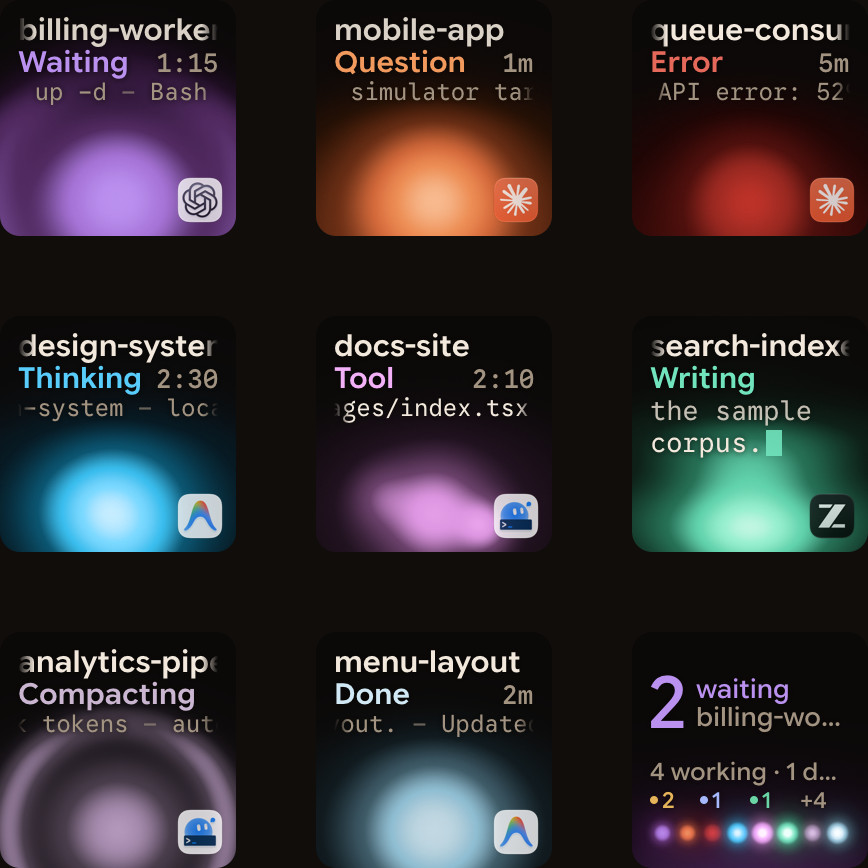
Watch Claude Code sessions and subagents with Orbtile
Every subagent draws on your usage, so it helps to see what each session and subagent is doing. Orbtile shows each Claude Code session on its own key of a Logitech MX Creative Keypad, or on a tile on an iPhone (iOS 17 or later) or Android phone (Android 8.0 or later) with Orbtile Mobile. It runs on a Mac with Apple silicon and macOS 14 or later, or a Windows 11 PC (x64). It drives the keypad over USB without Logi Options+.
- Install the Claude Code plugin in Settings > Agents > Claude Code on a Mac, or with its Install button on Windows.
- Restart Claude Code sessions that were already running, so they load the plugin.
- Each key shows the session's name, its state, such as Thinking, Tool, Compacting, Permission or Done, and its latest words.
- A waiting session glows terracotta and moves to the front, and a tap on key 9 opens the first waiting session.
- Hold a session key for 0.6 seconds to open Focus mode, then press key 2 to see each subagent's state, current tool and elapsed time.
- For a local session, press Deny on key 7, or hold Allow on key 9 for 0.6 seconds to approve.
- Remote Claude Code sessions over SSH are display-only.
See Claude Code status line: set it up and customise it and Claude Code background agents: subagents, tasks and hooks.
FAQ
How much does Claude Code cost per developer on API plans?
Claude Code charges API users by token consumption. Across enterprise deployments, Anthropic reports an average of around $13 per developer per active day and $150 to $250 per developer per month. Costs stay below $30 per active day for 90% of users.
Why is Claude Code billing my API key instead of my Pro, Max or Ultra subscription?
If the ANTHROPIC_API_KEY environment variable is set, Claude Code uses that API key instead of your Claude subscription, so API usage charges apply. If you signed in through Console pay-as-you-go, run the login command inside Claude Code to switch to your plan.
Does switching models get me past a Claude Code usage limit?
Not after a session or weekly limit, because those apply across all models and show when they reset. After an Opus or Sonnet limit, switching to a model outside that family with the model command keeps you working.
How does Orbtile help when I run several Claude Code sessions and subagents?
Orbtile shows each Claude Code session on a Logitech MX Creative Keypad, an iPhone or an Android phone with Orbtile Mobile, with its state and latest words. In Focus mode you can see each subagent's state. You can also answer local permission prompts from the pad.