
Claude Code hooks are user-defined shell commands, HTTP endpoints, MCP tool calls, model prompts or subagents that run automatically at specific points in Claude Code's lifecycle. You define them in JSON settings files using three levels of nesting: a hook event name, a matcher group to filter when the event fires, and one or more hook handlers. When a hook runs, Claude Code passes it JSON about the event and reads back an exit code or structured JSON that can allow or block the action, or add context for Claude.
Hook lifecycle events and when they fire
Claude Code fires the same hook events in the terminal, IDE extensions, the Desktop app and cloud sessions. Events fall into three cadences:
- Per session:
SessionStartandSessionEnd. - Per turn:
UserPromptSubmit,StopandStopFailure. - On every tool call inside the agentic loop:
PreToolUseandPostToolUse, exceptEndConversationcalls, which skip both.
| Event | When it fires | What matcher filters | |
|---|---|---|---|
SessionStart | When a session begins or resumes | How the session started (startup, resume, clear, compact, fork) | |
UserPromptSubmit | When a prompt is submitted, before Claude processes it | No matcher support | |
PreToolUse | Before a tool call executes; can block it | Tool name (Bash, `Edit\ | Write, mcp__.*`) |
PermissionRequest | When a tool call needs a permission decision | Tool name | |
PostToolUse | After a tool call succeeds | Tool name | |
PostToolUseFailure | After a tool call fails | Tool name | |
Notification | When Claude Code sends a notification | Notification type (permission_prompt, idle_prompt, agent_needs_input and others) | |
SubagentStart | When a subagent is spawned | Agent type (general-purpose, Explore, Plan or custom names) | |
Stop | When Claude finishes responding | No matcher support | |
StopFailure | When the turn ends due to an API error | Error type (rate_limit, overloaded, server_error and others) | |
PreCompact / PostCompact | Before context compaction, or after it completes | What triggered compaction (manual, auto) | |
SessionEnd | When a session terminates | Why the session ended (clear, resume, logout, prompt_input_exit, other) |
Where to configure hooks and how settings merge
Where you place a hook determines its scope:
| Location | Scope | Shareable |
|---|---|---|
~/.claude/settings.json | All your projects | No, local to your computer |
.claude/settings.json | Single project | Yes, can be committed to the repository |
.claude/settings.local.json | Single project | No, gitignored when Claude Code saves to it |
| Managed policy settings | Organisation-wide | Yes, administrator-controlled |
Plugin hooks/hooks.json | While the plugin is enabled | Yes, bundled with the plugin |
| Skill frontmatter | Rest of the session once the skill is invoked | Yes, defined in the skill file |
| Subagent frontmatter | While that subagent runs | Yes, defined in the subagent file |
- Additive merging: hook entries merge across settings levels rather than replacing each other, so user, project and local settings add their own hooks without removing managed ones.
- Inspecting and reloading: type
/hooksin Claude Code to open a read-only browser of your configured hooks, grouped by event. If you edit settings files directly, the file watcher normally picks up the changes. - Disabling hooks: set
"disableAllHooks": truein a settings file. Hooks configured in managed settings still run unlessdisableAllHooksis also set there.
Filter hooks with matchers and the if field
How Claude Code evaluates a matcher group's matcher depends on the characters in the string:
- Match all: omitting
matcher, or setting it to"*"or"", fires the group on every occurrence of the event. - Exact names and lists: a string containing only letters, digits, underscores, hyphens, spaces, commas and pipes matches an exact name or a list separated by
|or,, such as"Bash"or"Edit|Write". - Regular expressions: any other character makes Claude Code treat the pattern as an unanchored JavaScript regular expression. For example,
^Notebookmatches any tool whose name starts withNotebook. - MCP tools: MCP tools follow the naming pattern
mcp__<server>__<tool>. To match every tool from a server, append.*to the server prefix, as inmcp__memory__.*.
On tool events, a handler can also set the optional if field: one permission rule, such as "Bash(git *)" or "Edit(*.ts)", matched against the tool name and its arguments together. The hook only runs on a match:
{
  "hooks": {
    "PreToolUse": [
      {
        "matcher": "Bash",
        "hooks": [
          {
            "type": "command",
            "if": "Bash(rm *)",
            "command": "${CLAUDE_PROJECT_DIR}/.claude/hooks/block-rm.sh"
          }
        ]
      }
    ]
  }
}
The five hook handler types
When an event fires, its matching hooks run in parallel. Each handler object in the inner hooks array sets "type" to one of five options:
- Command (
"command"): runs a shell command. The script receives the event's JSON onstdinand replies through exit codes andstdout. - HTTP (
"http"): sends the event's JSON as an HTTPPOSTrequest to a URL. The endpoint replies in its response body, using the same JSON output format as command hooks. - MCP tool (
"mcp_tool"): calls a tool on a configured MCP server. Claude Code treats the tool's text output like command-hookstdout. - Prompt (
"prompt"): sends a prompt to a Claude model for single-turn evaluation. - Agent (
"agent"): spawns a subagent that can use tools such asRead,GrepandGlobto verify conditions before returning a decision. Agent hooks are experimental.
Default timeouts are 600 seconds for command, http and mcp_tool hooks, 30 seconds for prompt hooks and 60 seconds for agent hooks.
JSON input on stdin, exit codes and structured output
Every hook receives common JSON fields, such as session_id, transcript_path, cwd, permission_mode and hook_event_name, alongside event-specific data such as tool_name and tool_input. Inside a subagent, agent_id and agent_type tell your script which agent the hook fired in.
Command hooks return decisions through exit codes or structured JSON on stdout:
- Exit code 0: reports no objection. On
PreToolUse, exit 0 does not approve the call, so the normal permission flow still applies. OnUserPromptSubmit,UserPromptExpansion,SessionStartandPostModelSwitch, plain-textstdoutis added to Claude's context. - Exit code 2: blocks the action on events that can block, with
stderras the reason. On events that cannot be blocked, such asSessionStart, it showsstderrto the user and execution continues. - Structured JSON on
stdout(with exit 0): gives finer control. OnPreToolUse,hookSpecificOutput.permissionDecisionaccepts"allow","deny","ask"or"defer"(in non-interactive-pmode). A"deny"blocks the tool even inbypassPermissionsmode.
{
  "hookSpecificOutput": {
    "hookEventName": "PreToolUse",
    "permissionDecision": "deny",
    "permissionDecisionReason": "Destructive command blocked by hook"
  }
}
When several PreToolUse hooks disagree, precedence runs deny, defer, ask, allow. On PermissionRequest, returning hookSpecificOutput.decision.behavior set to "allow" grants the permission.
Watch Claude Code sessions on a keypad or phone with Orbtile
To watch several sessions at once and answer prompts without switching windows, Orbtile's Claude Code plugin shows every session on a Logitech MX Creative Keypad, or on an Android phone (Android 8.0 or later) with Orbtile Mobile. Orbtile runs on a computer with macOS 14.0 Sonoma or later on Apple silicon, or Windows 11 (x64).
- Plugin setup: install the Claude Code integration from Settings > Agents > Claude Code on a Mac, or with the Install button on Windows. Then restart any running Claude Code sessions once so they load the plugin.
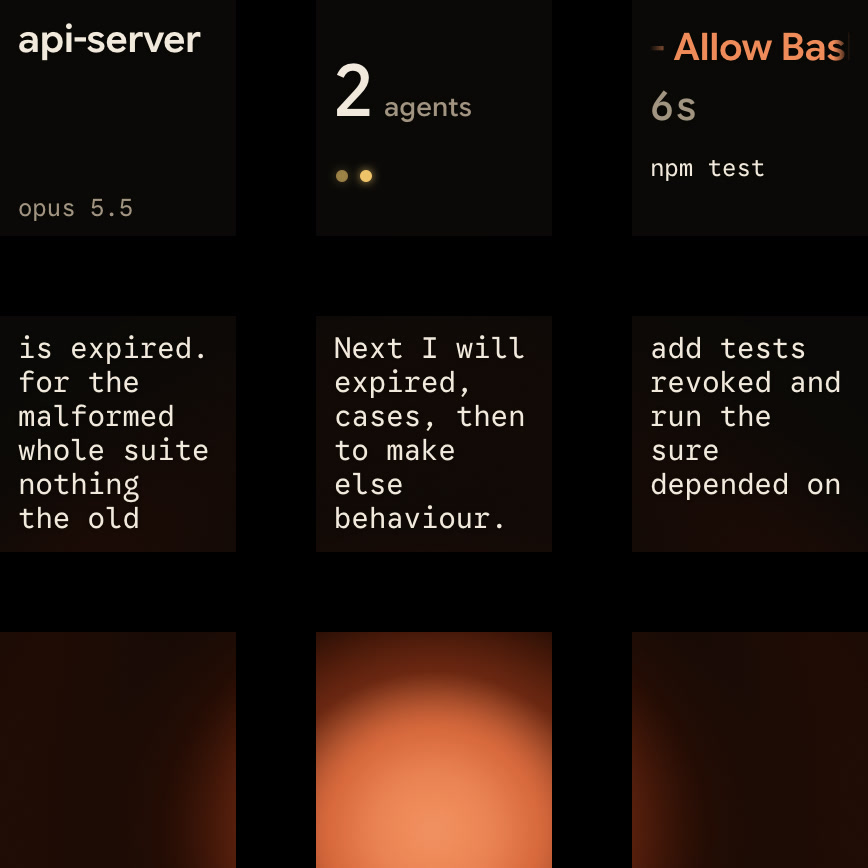
- Live state and words per key: each session key shows the session's name, state (such as
Thinking,Tool,Permission,QuestionorDone) and latest words over an animated orb. Waiting sessions come first, and a tap on key 9 opens the first waiting session. - Approve or answer from the pad: for local Claude Code sessions, hold a waiting key to open Focus mode. Press Deny on key 7 to decline, or hold Allow on key 9 for 0.6 seconds to approve. Multiple-choice questions with up to four options are answered on keys 1, 2, 3 and 7, then you hold Send on key 9. Typed answers stay on your computer, and remote sessions are display-only.
- Multi-agent view: the same pad also shows sessions from Codex, ZCode and the Antigravity desktop app, plus your own scripts through the Adapter API. See Build your own status display with Claude Code hooks and Approve agent tool calls without switching windows.
FAQ
Where are Claude Code hooks configured?
In ~/.claude/settings.json for all your projects, in .claude/settings.json to share them with a repository, or in .claude/settings.local.json for local overrides that stay out of git. Managed policy settings, plugins, skills and subagents can also define hooks.
How does a Claude Code hook block a tool call?
A command hook on PreToolUse can exit with code 2 and write the reason to standard error. Or it can exit with code 0 and print JSON that sets hookSpecificOutput.permissionDecision to deny, with a permissionDecisionReason.
How does Orbtile use Claude Code hooks?
Orbtile installs a Claude Code plugin from its Settings. The plugin streams session events and live text to Orbtile on your computer, which shows each session on a Logitech MX Creative Keypad or an Android phone running Orbtile Mobile. For local permission requests, you can press Deny or hold Allow on the pad.