
Cursor is an AI editor and coding agent. You write code in it, with Tab autocomplete, an Agent that edits code and runs terminal commands, and models from several providers. Claude Code is Anthropic's agentic coding tool. It reads your codebase, edits files and runs commands from your terminal, an IDE, a desktop app or the browser. You do not have to pick one: Anthropic offers an Install for Cursor link, so Claude Code can run inside Cursor as an extension or in Cursor's terminal.
Cursor vs Claude Code at a glance
The Cursor column comes from Cursor's documentation, and the Claude Code column from Anthropic's.
| Cursor | Claude Code | |
|---|---|---|
| What it is | "The AI editor and coding agent", in Cursor's words | An agentic coding tool that reads your codebase, edits files and runs commands |
| Where you use it | The Cursor app, plus the Cursor CLI in a terminal | The terminal, VS Code and forks such as Cursor, JetBrains IDEs, a desktop app and the web |
| Autocomplete | Tab suggests code as you type, based on recent edits, surrounding code and linter errors | None: Anthropic says Claude Code is not autocomplete |
| Agent work | Agent completes complex coding tasks independently, runs terminal commands and edits code | Works through debugging, refactors, tests and pull requests end to end |
| Command line | The agent command, as an interactive session or in print mode for scripts and CI | The claude command, where scripting and the Agent SDK are CLI-only |
| Planning | Plan Mode, which creates a detailed plan before writing any code | Plan mode, which describes the changes and waits for approval |
| Project instructions | .mdc rule files in .cursor/rules, plus AGENTS.md | CLAUDE.md files, or AGENTS.md when there is no CLAUDE.md |
| Models | Frontier models from OpenAI, Anthropic, Google and more, depending on your plan | The same Claude models as the Claude app, such as Opus, Sonnet and Haiku |
| Extensions | Uses the Open VSX registry and imports VS Code settings, keybindings and extensions | Anthropic submits the extension to the Visual Studio Marketplace and Open VSX Registry |
In short, Cursor puts autocomplete, an agent and model choice inside one editor. Claude Code is one agent you can reach from several places. Every Claude Code surface connects to the same engine, so your repo's CLAUDE.md files, settings and Model Context Protocol (MCP) servers work across all of them.
Use the Claude Code extension inside Cursor
Anthropic's VS Code page has a direct Install for Cursor link next to Install for VS Code. You can also open the Extensions view with Cmd+Shift+X on a Mac or Ctrl+Shift+X on Windows and Linux, search for "Claude Code" and click Install. Cursor's documentation says it uses the Open VSX registry, and Anthropic submits the extension there too. Anthropic notes that extension marketplaces are third-party software it does not endorse, maintain or audit.
Before you install, check these requirements:
- The extension needs VS Code 1.94.0 or later.
- You need any paid Claude plan: Pro, Max, Ultra, Team or Enterprise. A Claude Console account also works.
- No API key is required when you sign in with one of those accounts.
The first time you open the panel, click Sign in and finish authorising in your browser. The extension bundles a private copy of the CLI for its chat panel. It does not put claude on your shell PATH.
What the panel gives you
- Click the Spark icon in the Editor Toolbar to open Claude, or the one in the Activity Bar to open the sessions list.
- Claude automatically sees the text you select in the editor.
- Press
Option+Kon a Mac orAlt+Kon Windows and Linux to insert an @-mention such as@file.ts#5-10. - Type
@terminal:name, where name is the terminal's title, to reference that terminal's output in your prompt. - You can open multiple conversations in separate tabs or windows.
- A blue dot on the Spark icon means a permission request is pending in that tab.
- Hover over a message to fork the conversation, rewind the code to that point, or do both.
Permission modes in the extension
The mode indicator in the prompt box sets how much Claude does without asking:
- Auto lets a classifier review most actions instead of asking you, and it is the built-in starting mode from Claude Code v2.1.283.
- Manual asks before file edits and most shell commands, and shows a side-by-side diff of the proposed change.
- Plan describes what Claude will do and opens the plan as a Markdown document where you can add inline comments.
- Edit automatically lets Claude make edits without asking.
See Claude Code permission modes: settings, flags and rules and Claude Code Plan Mode: how to use it and approve plans.
Run the standalone Claude Code CLI in Cursor's terminal
To type claude in Cursor's integrated terminal, install the standalone CLI.
On macOS, Linux or WSL:
curl -fsSL https://claude.ai/install.sh | bashOn Windows PowerShell:
irm https://claude.ai/install.ps1 | iexOn Windows CMD:
curl -fsSL https://claude.ai/install.cmd -o install.cmd && install.cmd && del install.cmdNative installs update automatically in the background. Homebrew (brew install --cask claude-code) and WinGet (winget install Anthropic.ClaudeCode) installs do not, so upgrade those yourself. You can also install with apt, dnf or apk on Debian, Fedora, RHEL and Alpine.
Start claude in Cursor's terminal and run /terminal-setup to install a Shift+Enter keybinding for newlines:
/terminal-setupThe CLI also does things the extension does not:
- Scripting and the Agent SDK are available only in the CLI.
- Run
/desktopto continue the session in the Claude Code Desktop app, on macOS or x64 Windows with a Claude subscription.
In the Desktop app, right-click a file path and choose Open in to open it in an installed editor such as Cursor.
Move Cursor rules and MCP servers into Claude Code
The /import command brings configuration from OpenAI Codex, Google Gemini CLI or Cursor on your computer into Claude Code:
/import cursor
/import cursor --dry-run
/import cursor --yes- It carries over instruction files, MCP servers, commands, subagents and skills.
- Add
--dry-runto preview without writing anything, or--yesto skip the interactive picker. - Importing from Cursor requires Claude Code v2.1.265 or later.
- It is not available on Amazon Bedrock, Google Cloud's Agent Platform, Microsoft Foundry or Claude Platform on AWS.
Running /init generates a starter CLAUDE.md and incorporates Cursor rules from .cursor/rules/ or .cursorrules. If a CLAUDE.md already exists, /init suggests improvements instead of overwriting it.
Share one instruction file between both tools
Both tools read AGENTS.md. Cursor's documentation says it supports the file in the project root and in subdirectories. From v2.1.277, Claude Code reads it when there is no CLAUDE.md or CLAUDE.local.md in or above your working directory. When both files exist, Claude reads only CLAUDE.md by default. Set Project instructions to claude-md-and-agents-md to read both. See Share context between Claude Code and Codex.
Claude treats these files as context, not enforced configuration. To block an action whatever Claude decides, use a PreToolUse hook. See Claude Code hooks: events, matchers, settings and handlers.
Plans and usage limits
In Cursor, the models you can pick depend on your plan. Cursor's models page says the Plus plan includes only Cursor's own models. Third-party models, including Anthropic's Claude models, are available on Premium and above, billed at the model's API list price from prepaid credit.
For Claude Code, Anthropic's plans work like this:
- Pro, Max and Ultra cover Claude Code in the terminal, VS Code, Cursor and other VS Code forks, and JetBrains IDEs.
- Limits are shared across Claude and Claude Code, so all activity in both counts against the same limits.
- Pro and Max have a five-hour session limit and a weekly limit.
- Ultra has a weekly limit, and verified Ultra accounts have no five-hour session limit.
- If
ANTHROPIC_API_KEYis set, Claude Code uses that key, which means API usage charges instead of your plan's included usage. - Run
/statusto check your remaining allocation.
Watch Claude Code sessions on a keypad or phone with Orbtile
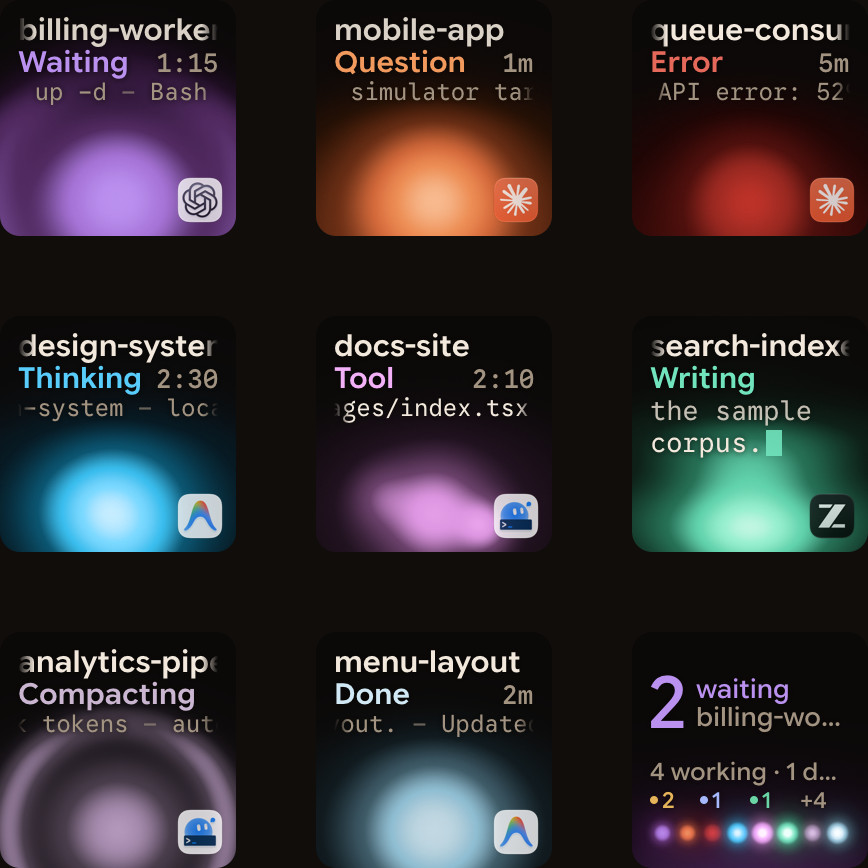
Orbtile shows each coding-agent session on a key of the Logitech MX Creative Keypad, on an iPhone (iOS 17+) or Android phone (Android 8.0+) running Orbtile Mobile, or on your computer screen. It runs on an Apple silicon Mac with macOS 14 Sonoma or later, or a Windows 11 PC (x64). It shows Claude Code sessions from the terminal or the desktop app.
- Install the Orbtile plugin in Settings > Agents > Claude Code, then restart any Claude Code sessions that were already running.
- Orbtile drives the keypad's nine LCD keys and two page buttons over USB, without Logi Options+.
- Claude Code keys glow warm amber gold while working and terracotta while waiting.
- Waiting sessions come first, and a tap on key 9 focuses the first waiting session, including on other pages.
- A short press opens the session's window, and holding a key for 0.6 seconds opens Focus mode across all nine keys.
- In Focus mode, press Deny on key 7 or hold Allow on key 9 for 0.6 seconds to answer a permission request.
- For a Claude Code question with options, pick options on keys 1, 2, 3 and 7, then hold Send on key 9.
- Recent Claude Code versions start in auto mode, so press Shift+Tab to switch to manual mode and answer every request on the keypad.
Typed answers stay on your computer, and remote sessions over SSH are display-only. Orbtile also shows OpenAI Codex, ZCode, Google Antigravity desktop and Kimi Code sessions, and your own tools through its local Adapter API. See How to monitor multiple Claude Code sessions and Show any script or agent on a keypad with the Orbtile Adapter API.
FAQ
What is the main difference between Cursor and Claude Code?
Cursor is an AI editor with Tab autocomplete, an Agent and a CLI, and it offers models from several providers depending on your plan. Claude Code is Anthropic's coding agent. It runs in the terminal, in IDEs including Cursor, in a desktop app and on the web.
Does Claude Code work inside Cursor?
Yes. Anthropic provides a direct Install for Cursor link for the Claude Code extension, and the extension is also on the Open VSX Registry that Cursor uses. You can also install the standalone CLI and run the claude command in Cursor's integrated terminal.
Can I use Claude models in Cursor?
Yes, according to Cursor's models page. Third-party models such as Anthropic's Claude models are available on Premium and above, billed at the model's API list price from prepaid credit. The Plus plan includes only Cursor's own models.
Can Orbtile show which Claude Code session needs me?
Yes, for Claude Code in the terminal or the desktop app. Orbtile runs on an Apple silicon Mac or a Windows 11 PC and shows each session on a Logitech MX Creative Keypad, an iPhone or an Android phone. Waiting sessions come first, and for local sessions you can answer permission requests and multiple-choice questions from the keypad.