
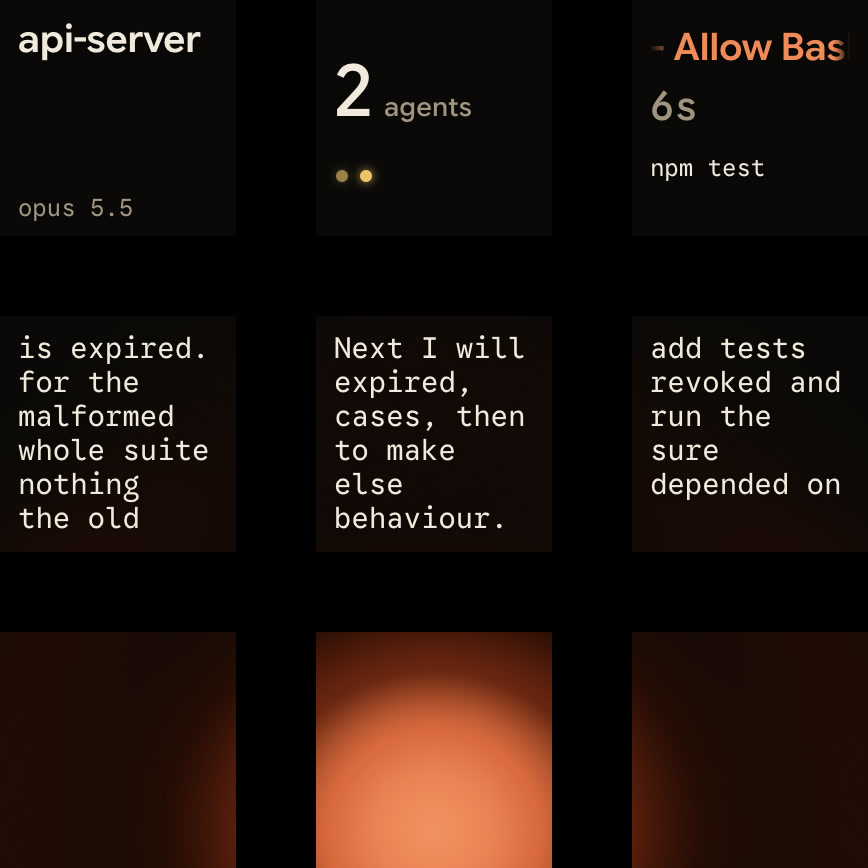
Model Context Protocol (MCP) servers give Claude Code access to external tools, databases and APIs. Register servers with claude mcp add, claude mcp add-json or .mcp.json, then check status and OAuth sign-in with /mcp. Across multiple sessions, Orbtile shows which session awaits tool approval on a keypad or phone.
What MCP servers do in Claude Code
MCP is an open source standard that lets Claude Code read and act on external systems directly:
- Implement Jira issues, open GitHub pull requests, analyse Sentry or Statsig data and query PostgreSQL.
- Update an email template from Figma designs posted in Slack, or create Gmail drafts.
- React to CI results, Telegram messages or Discord chats that a channel server pushes into your session.
Browse connectors in the Anthropic Directory and add any listed remote server with claude mcp add. Anthropic reviews connectors against its listing criteria before adding them, but doesn't security-audit or manage any MCP server. Verify you trust each server before connecting it. Servers that fetch external content can expose you to prompt injection.
To have Claude scaffold a remote HTTP or local stdio server, run /plugin install mcp-server-dev@claude-plugins-official and then /mcp-server-dev:build-mcp-server.
Compare MCP with skills and hooks in Claude Code skills: SKILL.md, bundled skills and frontmatter and Claude Code hooks: events, matchers, settings and handlers.
Add HTTP, stdio, SSE and WebSocket MCP servers
Run claude mcp add or claude mcp add-json in your terminal, not inside a claude session:
| Transport | How to add | Best for | Authentication and notes |
|---|---|---|---|
http | claude mcp add --transport http <name> <url> | Remote servers (recommended) | OAuth 2.0 through /mcp, or a static token with --header. JSON also accepts streamable-http |
stdio | claude mcp add <name> -- <command> [args...] | Local processes that need direct system access | The default transport. Pass secrets with --env |
sse | claude mcp add --transport sse <name> <url> | Servers that only accept Server-Sent Events | Deprecated. Use HTTP where available |
ws | claude mcp add-json <name> '{"type":"ws","url":"wss://..."}' | Remote servers that push events over a persistent bidirectional connection | Header authentication only, through headers or headersHelper. No OAuth and no --transport flag |
Add a remote HTTP server
claude mcp add --transport http claude-code-docs https://code.claude.com/docs/mcp
claude mcp add --transport http sentry https://mcp.sentry.dev/mcp
Servers that take a static token instead of OAuth get it at add time with --header "Authorization: Bearer <token>". Claude Code tries the HTTP transport first and switches to SSE when the server doesn't accept it. This automatic switch needs Claude Code v2.1.265 or later. On an earlier version, pass --transport sse instead.
Add a local stdio server
Local stdio servers run as subprocesses. Everything after -- is the command that starts the server:
claude mcp add playwright -- npx -y @playwright/mcp@latest
claude mcp add --env KEY=value --transport stdio myserver -- python server.py --port 8080- The Playwright server runs through
npx, so it needs Node.js 18 or later. - Playwright drives your installed Chrome, and appending
--browser firefoxswitches it to Firefox. --envaccepts multipleKEY=valuepairs.- Put another option, such as
--transport stdio, between--envand the server name, or the CLI reads the name as another pair. - Claude Code sets
CLAUDE_PROJECT_DIRto the project root in the server's environment.
Add a server from JSON configuration
Pass a single server's JSON object to claude mcp add-json:
claude mcp add-json events-server \
  '{"type":"ws","url":"wss://mcp.example.com/socket","headers":{"Authorization":"Bearer YOUR_TOKEN"}}'
The same rules apply in .mcp.json and ~/.claude.json:
- Claude Code reads an entry without a
typefield as astdioserver. - An entry with a
urlbut notypeis a configuration error, so Claude Code skips it. - Server names can use only letters, numbers, hyphens and underscores.
- Claude Code skips servers that use a reserved built-in name, such as
workspace,claude-in-chromeorcomputer-use.
Where Claude Code saves MCP servers: scopes and .mcp.json
Pass --scope on claude mcp add to choose where configuration lives:
| Scope | Configuration file | Available to | Priority |
|---|---|---|---|
local | ~/.claude.json under the current project entry | You, in this project (default) | 1 (highest) |
project | .mcp.json at the project root | Everyone who clones the project | 2 |
user | ~/.claude.json under top-level mcpServers | You, across all projects | 3 |
On Windows, ~/.claude.json is %USERPROFILE%\.claude.json. Claude Code doesn't read paths such as ~/.claude/.mcp.json or ~/.claude/mcp.json.
A server's scope is fixed when you add it. To change it, remove the entry and re-add it:
claude mcp remove claude-code-docs --scope local
claude mcp add --scope user --transport http claude-code-docs https://code.claude.com/docs/mcp
Share team servers in .mcp.json and approve them
Run claude mcp add --scope project ... or commit .mcp.json at the project root. Claude Code reads .mcp.json at session start, so restart the session after editing it by hand:
{
  "mcpServers": {
    "claude-code-docs": { "type": "http", "url": "https://code.claude.com/docs/mcp" },
    "playwright": { "type": "stdio", "command": "npx", "args": ["-y", "@playwright/mcp@latest"] }
  }
}
Project servers require approval:
- A cloned repository can't approve its own servers.
- In an untrusted folder, Claude Code ignores
enableAllProjectMcpServersandenabledMcpjsonServersin the project's.claude/settings.json. - Those servers stay at
⏸ Pending approvalinstead of connecting. - Approvals in your user
~/.claude/settings.json, managed settings or--settingsstill apply. - Run
claude mcp reset-project-choicesto reset approvals you made earlier.
Connect from other Claude Code surfaces
- In the Claude Code desktop app, add servers through the Connectors UI.
- To copy servers from Claude Desktop's
claude_desktop_config.json, runclaude mcp add-from-claude-desktopon macOS or WSL. - Connectors you add at
claude.ai/customize/connectorsload automatically in the CLI when you sign in with that account.
Authenticate, check status and troubleshoot with /mcp
Inspect or remove servers from your shell:
claude mcp list
claude mcp get claude-code-docs
claude mcp logout sentry
claude mcp remove sentry
claude mcp remove deletes the OAuth tokens Claude Code stored for a remote server, but doesn't revoke them at the authorization server. To revoke them where supported, run claude mcp logout <name> first.
Status in claude mcp list | Meaning and next step |
|---|---|
✔ Connected | Ready to use |
! Connected · tools fetch failed | Connected, but tool listing failed. Run claude mcp get <name> for the detail |
! Needs authentication | Complete the browser sign-in in /mcp or pass a token with --header |
✘ Failed to connect | The server didn't respond. Run claude mcp get <name> for the detail |
✘ Connection error | The connection attempt threw an error. Test the URL with curl -I or run the stdio command directly |
⏸ Pending approval (run \claude\ to approve) | Start claude interactively to approve the .mcp.json server |
⊘ Disabled for this project (re-enable via /mcp) | Listed in the project's disabledMcpServers. Re-enable it in /mcp |
✘ Blocked by enterprise managed policy | An organisation policy refuses the server |
Complete OAuth sign-in in /mcp
Hosted services such as Sentry, Linear and Notion use OAuth. Add the HTTP server, start Claude Code and run /mcp:
- Select the server, press Enter and choose
Authenticateto sign in through your browser. - If the browser doesn't open automatically, copy the URL shown in the terminal and open it yourself.
- From v2.1.284,
/mcp reconnect allretries every server that failed or needs authentication.
Fix common MCP configuration problems
- Hidden whitespace: Claude Code warns when a config value has leading or trailing whitespace, often from pasting a token with a trailing newline.
- Same name in several scopes: OAuth sign-ins are stored per endpoint, so a project that loads a different definition needs its own sign-in.
- Missing environment variable: an unset
${VAR}with no:-defaultproduces a warning and stays unexpanded.
Context cost, output limits and timeouts
At session start, MCP servers load only tool names and server instructions. Tool search is on by default, so full JSON schemas stay deferred until Claude needs a tool. Run /context all to see how many tokens each loaded MCP tool uses, and remove servers you no longer need.
- Claude Code warns when MCP tool output exceeds 10,000 tokens and limits it to 25,000 tokens by default.
- Set
MAX_MCP_OUTPUT_TOKENS, for example to50000, to change that limit. - Successful text results longer than 50,000 characters are saved to a file, unless the server raises that tool's limit.
- The startup timeout defaults to 30 seconds. Raise it in milliseconds with
MCP_TIMEOUT=60000 claude. - A per-server
"timeout"in milliseconds overridesMCP_TOOL_TIMEOUTfor that server. - A call with no response aborts after five minutes on remote servers, or 30 minutes on
stdioservers. - A main-conversation MCP call still running after two minutes moves to a background task.
Restrict or provide MCP servers across an organisation
Administrators govern MCP servers with three mechanisms:
- A
managed-mcp.jsonfile gives exclusive control, so users can't add or use other servers. - It is a standalone file deployed to a system path, so server-managed settings can't deliver it.
- A
managed-mcp.jsonwith an emptymcpServersmap blocks every server except those that load under exclusive control. - The
managedMcpServersmanaged setting provides remotehttporsseservers onhttps://URLs while users keep their own. allowedMcpServersanddeniedMcpServersfilter configured servers byserverUrl,serverCommandorserverName.- Set
allowManagedMcpServersOnly: truewithallowedMcpServersso that user settings can't broaden the allowlist.
Watch Claude Code sessions on a keypad or phone with Orbtile
When several Claude Code sessions run at once, an MCP permission prompt can wait unseen in another window. Orbtile puts every coding-agent session on a key of the Logitech MX Creative Keypad. It can also show them as tiles in Orbtile Mobile on an iPhone (iOS 17 or later) or an Android phone (Android 8.0 or later). Orbtile runs on a computer with macOS 14 or later on Apple silicon, or Windows 11 (x64). It drives the keypad over USB without Logi Options+.
- Install the plugin in Settings > Agents > Claude Code, then restart running Claude Code sessions once so they load it.
- Each key shows the session name, state and latest words over an animated Frosted orb.
- Sessions waiting on a permission request or question glow terracotta and move to the front.
- Tap key 9 to focus the first waiting session, including sessions on other pages.
- A short press on a session key opens that session in its application or terminal window.
- For local permission requests, hold the session key for 0.6 seconds to open Focus mode.
- In Focus mode, press Deny on key 7, or hold Allow on key 9 for 0.6 seconds.
- For multiple-choice questions, pick on keys 1, 2, 3 and 7, then hold Send on key 9.
- Auto mode approves low-risk actions without asking, so the keypad sees only the requests Claude Code still asks about.
- To answer every request on the keypad, start with
claude --permission-mode manual. - Typed answers stay on your computer, and remote sessions over SSH are display-only.
Orbtile also shows OpenAI Codex, ZCode, Kimi Code and Google Antigravity sessions. See Approve agent tool calls without switching windows and How to monitor multiple Claude Code sessions.
FAQ
How do I add an MCP server to Claude Code?
Run claude mcp add in your terminal before starting a session. For a remote server, pass the transport flag set to http along with a name and the server URL. For a local stdio server, pass the server name followed by a double dash and the command that starts the server.
Where does Claude Code store MCP server configurations on disk?
Local-scope servers are stored in ~/.claude.json under the current project entry, and user-scope servers are stored in the same file under the top-level mcpServers key. On Windows, that file is in your user profile folder. Project-scope servers shared with a team are stored in .mcp.json at the project root.
Why does a project .mcp.json server stay at Pending approval?
Claude Code asks you to approve project-scoped servers from .mcp.json before it connects to them. A cloned repository cannot approve its own servers in an untrusted folder. Start claude interactively in the project directory and approve the server when prompted, or run the /mcp command to approve it later.
Can I approve Claude Code MCP tool calls from a keypad or phone with Orbtile?
Yes, for local Claude Code sessions on your computer. When Claude Code pauses to ask for permission to run a tool, the session key glows and moves to the front on the Logitech MX Creative Keypad or in Orbtile Mobile on an iPhone or Android phone. Hold the key to open Focus mode, then press Deny or hold Allow for 0.6 seconds.