
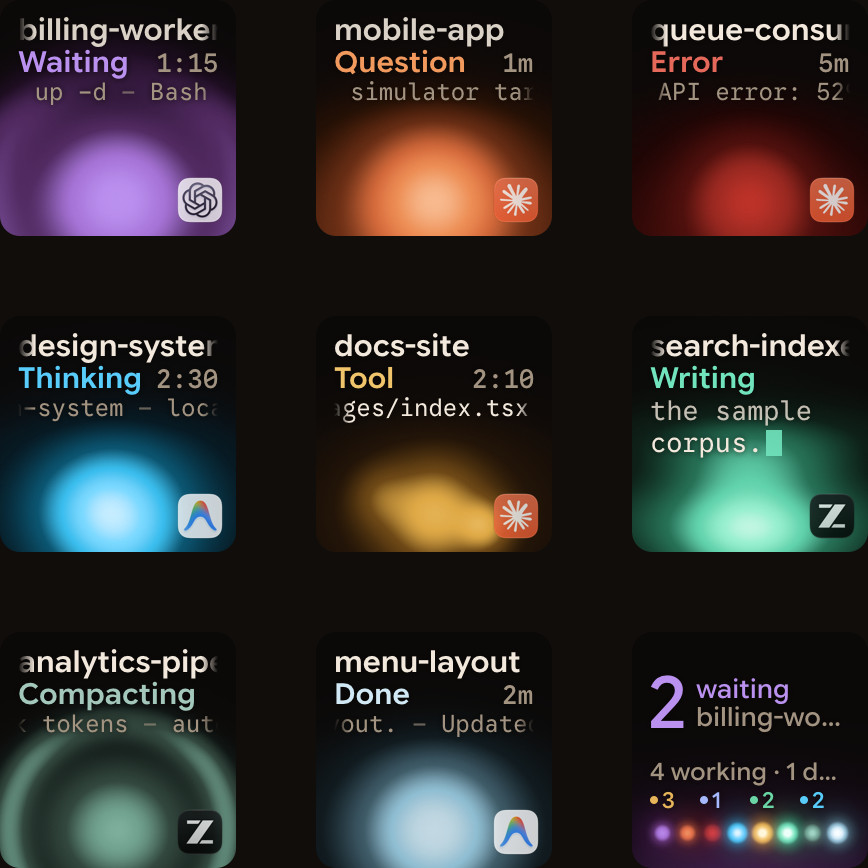
Orbtile started on the Mac. From 0.2.17, it runs on Windows 11 PCs too, with the same status pad on the Logitech MX Creative Keypad or on an Android phone with Orbtile Mobile.
Installing
Download the installer from orbtile.com/download. It installs for your Windows user, without administrator rights, and needs a Windows 11 PC (x64).
The beta is signed with Orbtile's own certificate, so Windows SmartScreen shows "Windows protected your PC" when you run the installer. Click More info, then Run anyway. It can ask again for a newer version.
Orbtile keeps running in the system tray when you close its window, so the keys stay live.
The keypad and Logi Options+
Orbtile and Logi Options+ share the keypad on Windows too. If Orbtile says Released to Options+, choose Take Over Keypad. To hand it back, choose Give Keypad to Options+, hold both page buttons for 1.5 seconds, or quit Orbtile. No account is needed for the keypad.
Or a phone
Orbtile Mobile works with a Windows PC the same way it does with a Mac: sign in on both, turn on Phone pad, and the phone shows your sessions as tiles. The first time, allow Orbtile.App when Windows Security asks about networks, so the phone can reach the PC.
Which agents
On Windows, Claude Code is supported today. Codex, ZCode and Antigravity are being tested there. (Update: Antigravity works on Windows from Orbtile 0.2.18.)
Setting up the keypad on Windows is covered in Use the Logitech MX Creative Keypad without Logi Options+, and the phone in Your old Android phone as a free status pad for coding agents.