
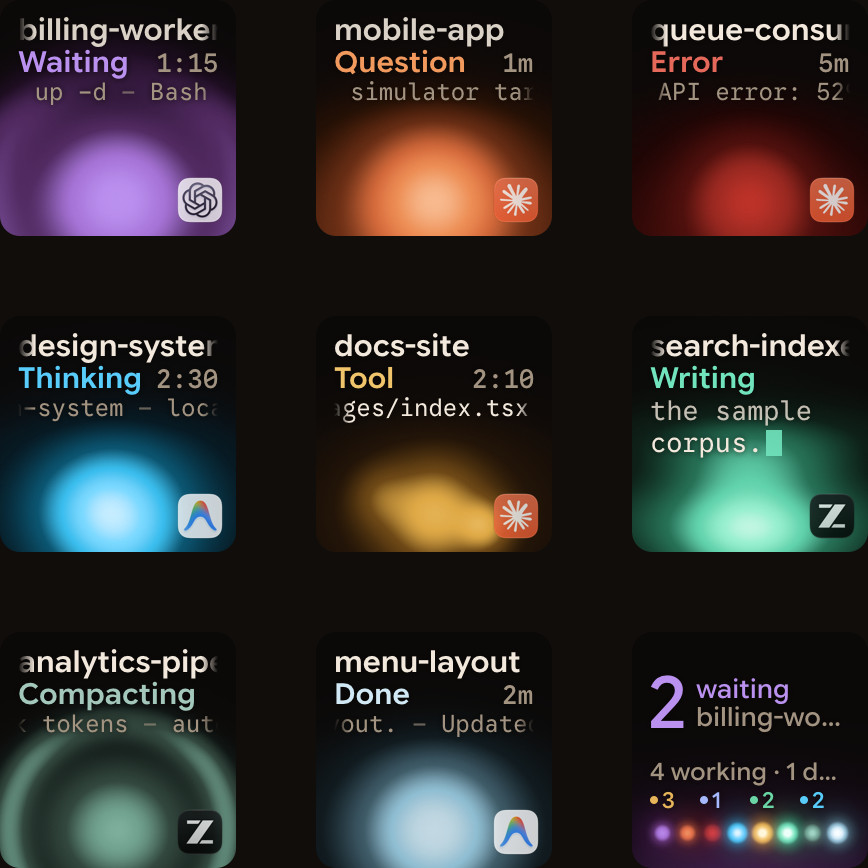
A status pad is only useful if you can read it in a glance. With nine keys and often more sessions than that, the hard part isn't drawing each session; it's deciding where each one goes. Here's how Orbtile does it.
Four tiers, in order of urgency
Keys 1 to 8 hold sessions, arranged by state:
- Waiting: sessions that need your answer.
- Working: thinking, running a tool or writing.
- Recent finishes: a session that just finished stays here for 15 seconds, so you notice it.
- Idle, with offline sessions after them.
So the most urgent session is always first in line. Working and waiting sessions never drop off the keypad; idle ones stay for a while (two hours by default) and then make room.
Steady enough to read
Within each tier, keys re-sort in fixed steps of 8 seconds: sessions that responded since the last step come first, then the newest activity. Between steps, nothing jumps around. When keys do reorder, the orbs glide to their new place over 0.8 seconds, so your eye can follow them.
There's one exception to the 8-second rhythm: a session that starts waiting for you can move ahead sooner. It's the one move worth interrupting for.
Never under your finger
The moment you press a key, reordering freezes for 1.5 seconds. A key can't slide away as you reach for it, and a press always lands on the session you saw.
Key 9 sees everything
When you have more than eight sessions, the page buttons flip between pages. Key 9, the hub, counts across all of them: how many sessions each agent has, and how many are waiting. A tap on it jumps straight to the first waiting session, wherever it is.
Pins, when you want a fixed spot
On a Mac, you can pin a session from the menu bar panel to keep it on its current key and page. Other sessions flow around it, and waiting sessions still come first among the free keys.
Orbtile Mobile uses the same order, so a phone and a keypad side by side show your sessions the same way. For running several sessions day to day, see Run several Claude Code sessions at once and know which one needs you.