
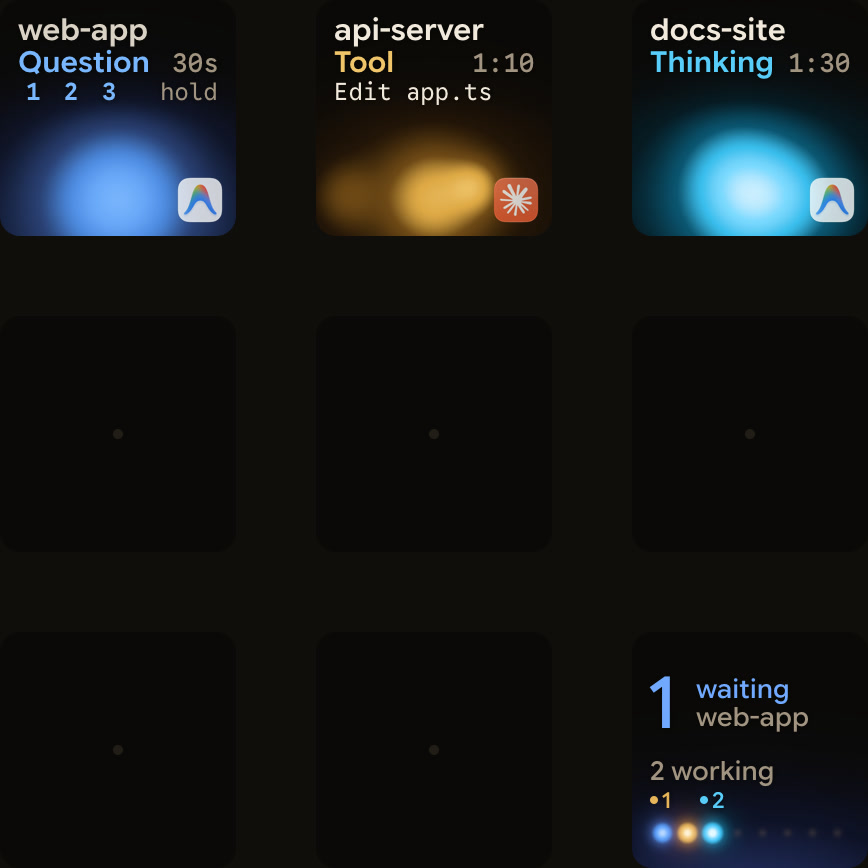
From Orbtile 0.2.6, Google Antigravity is the fourth agent on your keypad. Conversations in the Antigravity desktop app show up next to your Claude Code, Codex and ZCode sessions, each on its own key and marked as Antigravity.
What you see
Each conversation shows whether it's working, waiting for you or finished. A conversation that needs you moves to the front, like any other session, and key 9 counts it with the rest. A tap on its key opens Antigravity.
There's nothing to install in Antigravity. Orbtile reads the desktop app's own list of conversations on your Mac.
Answer its questions from the keys
Antigravity agents sometimes stop to ask a question with numbered options: which approach to take, which file to change. Those can be answered on the keypad:
- In Orbtile's settings for Antigravity, turn on Answer questions from the keypad.
- When a question comes in, hold the conversation's key. The options appear on the keys.
- Pick your options and hold Send. Your choices stay fixed while the answer is sent, and Sent means Antigravity received it.
Questions that need a written answer, and permission requests, stay in Antigravity. The question on screen always works too, so you can answer wherever is closer.
Four agents, one glance
With Antigravity in, the hub on key 9 shows a small coloured total for each agent, so a single look tells you how many sessions each one has and whether any of them is waiting.
For Antigravity's own notifications and settings, and how they work with the keypad today, see Know when Google Antigravity is waiting for you.